
How to Download or Generate Booking and Payment Reports
Booking Management
Updated
Vacation Labs offers multiple types of reports (e.g., Booking, Payment, Accounting, etc.) that can be generated and downloaded from the Reports section.
Example: Generating or Downloading an Accounting Report
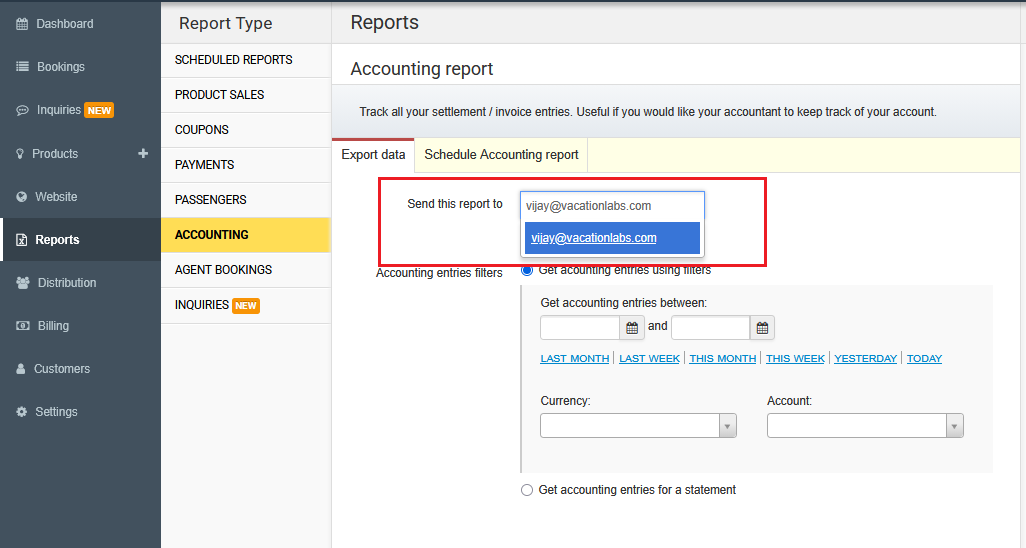
1. Go to Reports > Accounting in the Admin Panel. 2. Enter a valid email address to receive the report.
 3. Select your preferred date range.
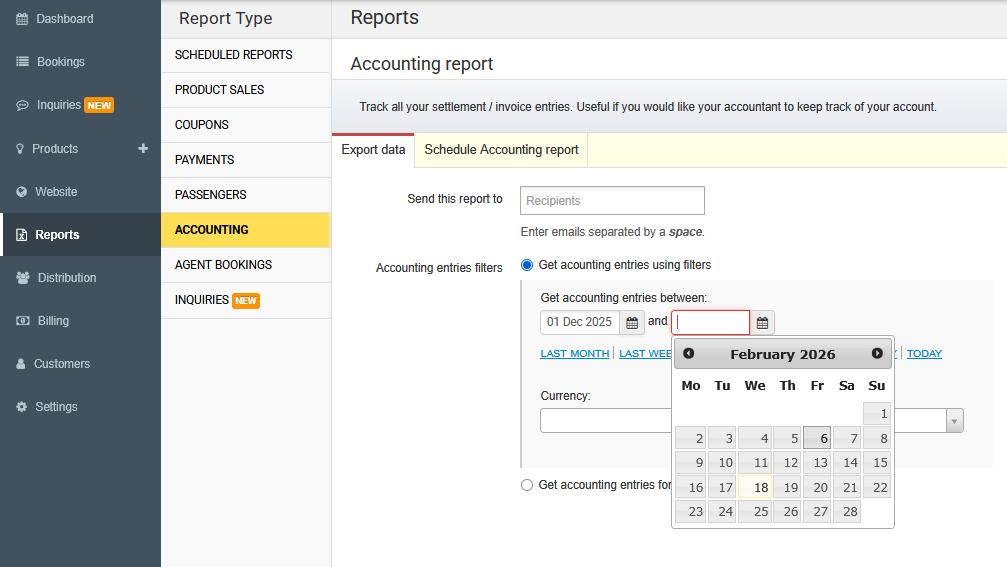 4. Click Email as CSV to generate the report. The report will be sent as a CSV file to the provided email address.
See also: Inquiry Reports (CSV Export) — download a detailed CSV of all your inquiries with date filters.