
Generating reports
Overview
Vacation Labs provides a set of reports to help you track bookings, payments, passengers, coupons, and financials. They all live under Reports in the backoffice sidebar. This article explains what each report contains, how to filter it, and how to get it out of the system.
The available reports are:
- Product Sales - all bookings, one row per booking
- Coupons - coupon usage and discount given
- Payments - every payment and refund transaction
- Passengers - one row per passenger, including custom passenger-form fields
- Accounting - settlement / ledger entries for your accountant
- Agent Bookings - amount collected by agents vs by you
- Inquiries - all website leads
- Scheduled Reports - automate any of the above on a recurring schedule
How reports are delivered
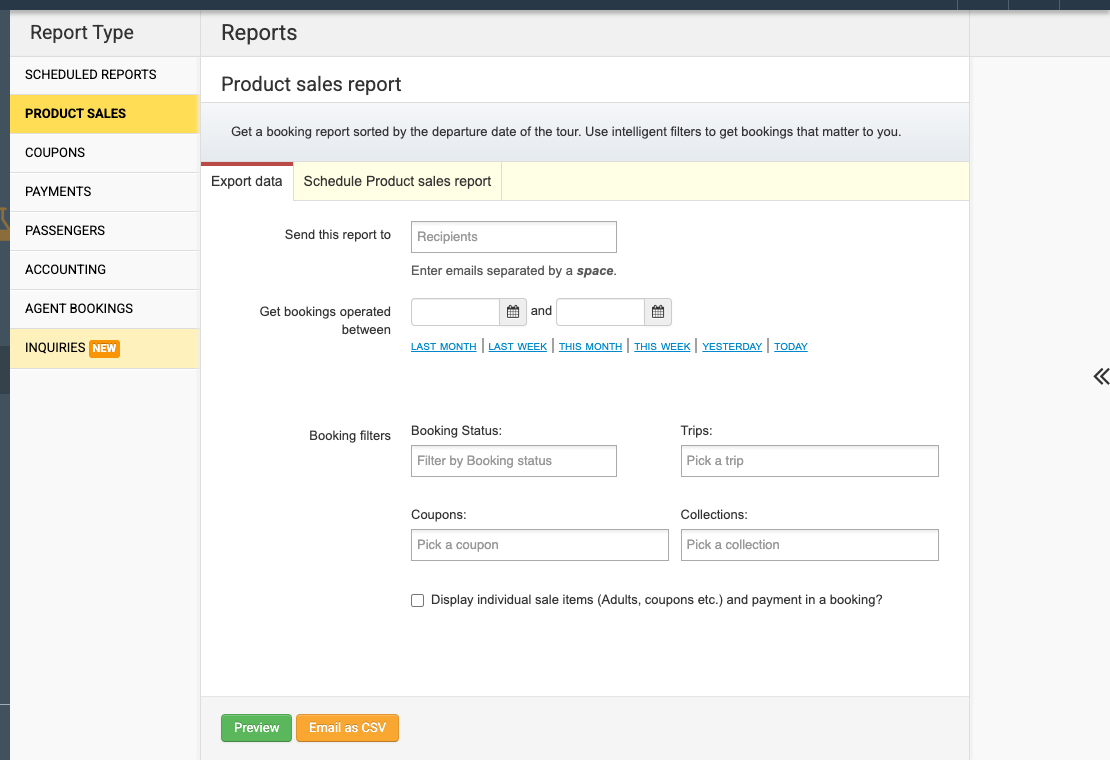
Most reports share the same three controls:
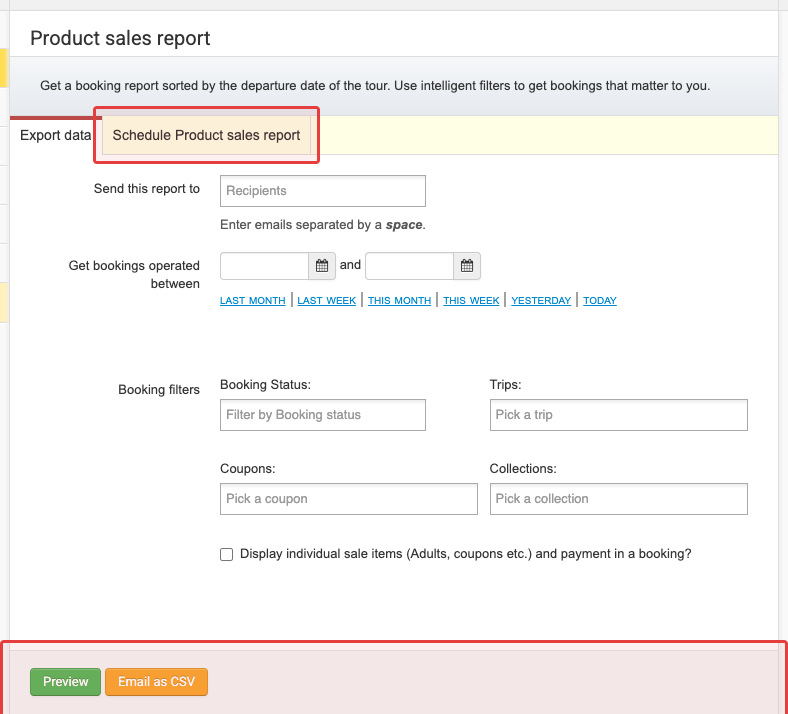
- Preview - opens an in-browser view of the first several rows, so you can sanity-check filters before exporting.
- Email as CSV - generates the full CSV in the background and emails it to the recipient address(es) you enter. It is not a direct download - if you don’t enter a recipient, the report won’t be sent.
- Schedule - set a recurring frequency (e.g. weekly or monthly) so the CSV is emailed automatically.
Exception: the Inquiries report is the only one that downloads directly to your browser. It has no recipient/email or scheduling options.
- Access to reports depends on the team member’s reporting permissions. Not everyone in your account can pull every report.
- A date-range filter includes both the start and end date in full — for example, a range of 1-30 June includes everything created or dated on 30 June itself, not just up to midnight that day.
Product Sales
One row per booking. Includes the trip and variant, departure dates, booking status, total passengers, total booking amount, total paid (minus refunds), the contact person, booking source, and every custom booking-form field.
For example, a booking for a Goa trip with 2 adults and 1 child, paid for in two installments, produces one row:
| booking_id | trip_name | total_passengers | total_booking_amount | total_payment_amount_minus_refunds | booking_status | contact_full_name |
|---|---|---|---|---|---|---|
| 12345 | Goa Beach Getaway | 3 | 450 | 450 | Confirmed | Jane Doe |
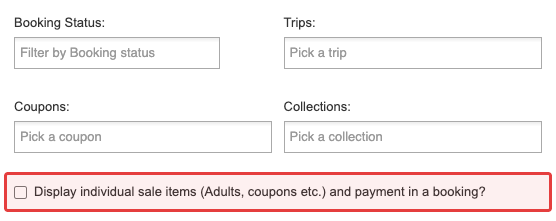
With Display individual sale items checked, that single row splits into one row per pricing item or payment, whichever is more — here, 2 pricing items (Adult x2, Child x1) and 2 payments, so 2 rows. Only the first row keeps the booking-level columns (trip, passengers, status, contact, etc.); every later row blanks them out and shows only that row’s pricing-item and payment columns, plus the booking_id (kept on every row so you can still group by it):
| booking_id | trip_name | total_passengers | pricing_item_category | quantity | pricing_items_total_amount | payment_amount | payment_mode |
|---|---|---|---|---|---|---|---|
| 12345 | Goa Beach Getaway | 3 | Adult | 2 | 300 | 300 | Credit Card |
| 12345 | (blank) | (blank) | Child | 1 | 150 | 150 | Credit Card |
Because only the first row of an exploded booking carries the booking-level columns, don’t assume a blank cell means missing data — it means “same booking as the row above.” Group or filter by booking_id if you need the full picture for a booking.
- Date basis: the departure (operating) date (the filter is labelled “Get bookings operated between”).
- Filters: booking status, trips, coupons, collections; and a checkbox labelled Display individual sale items (Adults, coupons etc.) and payment in a booking that splits each booking into one row per sale item (per passenger type, coupon, etc.) and payment, instead of one summary row per booking.
- Use it for: revenue and departure-level analysis - who is travelling in a given window and what they paid.
For what each booking status means, see Different Booking Status. The individual-sale-items checkbox breaks out pricing and payment lines, but it does not add passenger identity fields (name, passport, custom form fields) - use the Passengers report for that.
Coupons
One row per coupon code (aggregated): the code, the number of times it was used, and the total discount given.
- Date basis: departure (operating) date.
- Use it for: measuring a promotion - which codes are actually being redeemed and how much discount they’ve cost.
Payments
One row per payment transaction (payments and refunds appear as separate rows). Includes the booking, trip, merchant_ref and pg_ref, payment status, payment mode and processor, amount, refund amount, and the contact person.
- Date basis: two independent ranges - “Payment created between” (when the payment was initiated) and “Payment status changed between” (when it succeeded, failed, or was reversed). Rows are ordered by the last significant event.
- Filters: payment status, payment processor, and payment type (online via a gateway, offline / manually recorded, or refunds).
- Use it for: reconciling actual money movement against the payment gateway - which transactions succeeded, failed, or were refunded in a period.
Sales vs Payments: the Sales report has one row per booking (total collected shown once, even across multiple payments). The Payments report has one row per transaction - a booking with two payments and a refund appears as three rows.
Passengers
One row per passenger, including the booking, trip, departure dates, passenger type, and every field from your custom passenger form (passport, age, dietary preference, etc.).
- Date basis: departure (operating) date.
- Filters: trips, collections.
- Use it for: building a manifest - exactly who is travelling on a departure, with the details you collect per traveller.
Accounting
One row per settlement / ledger entry: transaction date, event, entry type, currency, amount, the related booking and payment, and the contact person.
- Date basis / mode: either by filters (transaction date range + currency + account) or by statement (pick a specific accounting statement).
- Account filter: Charges (amounts deducted by the payment processor) vs Settlement (all entries except processor charges).
- Use it for: handing your accountant the settlement ledger to reconcile your Vacation Labs account per currency / account or per statement.
Agent Bookings
One row per booking that has a successful payment, showing how the money was split: total_payment_collected_by_agent vs total_payment_collected_by_operator, alongside the agent’s details and the booking reference.
- Date basis: departure (operating) date.
- Use it for: settling with travel agents - seeing, per booking, how much the agent collected versus how much you collected.
Inquiries
A CSV of all website inquiries (leads) for a period - submitted form fields, inquiry status, submission type, trip, assignee, and submission date.
- Date basis: the inquiry’s creation date.
- Delivery: direct download (no email or scheduling).
- Use it for: pulling the raw lead list to follow up on inquiries that haven’t yet become bookings.
For the full field list, formatting notes (e.g. how phone numbers are exported), and permissions detail, see Inquiry Reports (CSV Export).
Scheduled Reports
Any of the reports above (except Inquiries) can be automated:
- Choose the report type and set its filters.
- Enter the recipient email address(es).
- Set the frequency (e.g. weekly or monthly).
- Save - the CSV is then emailed automatically on that cadence.
You can edit, delete, and recover scheduled reports from the Scheduled Reports view.