
Activating dates and rates section on tour page
The feature of DATES & RATES allows you to display the available departure dates of the tour on the tour page itself. .
Please follow the below steps,
-
Login into Vacation Labs
-
Click on Products
-
Select the product for which the Dates and Rates section needs to be activated
-
Click on Edit
-
Click on **Settings
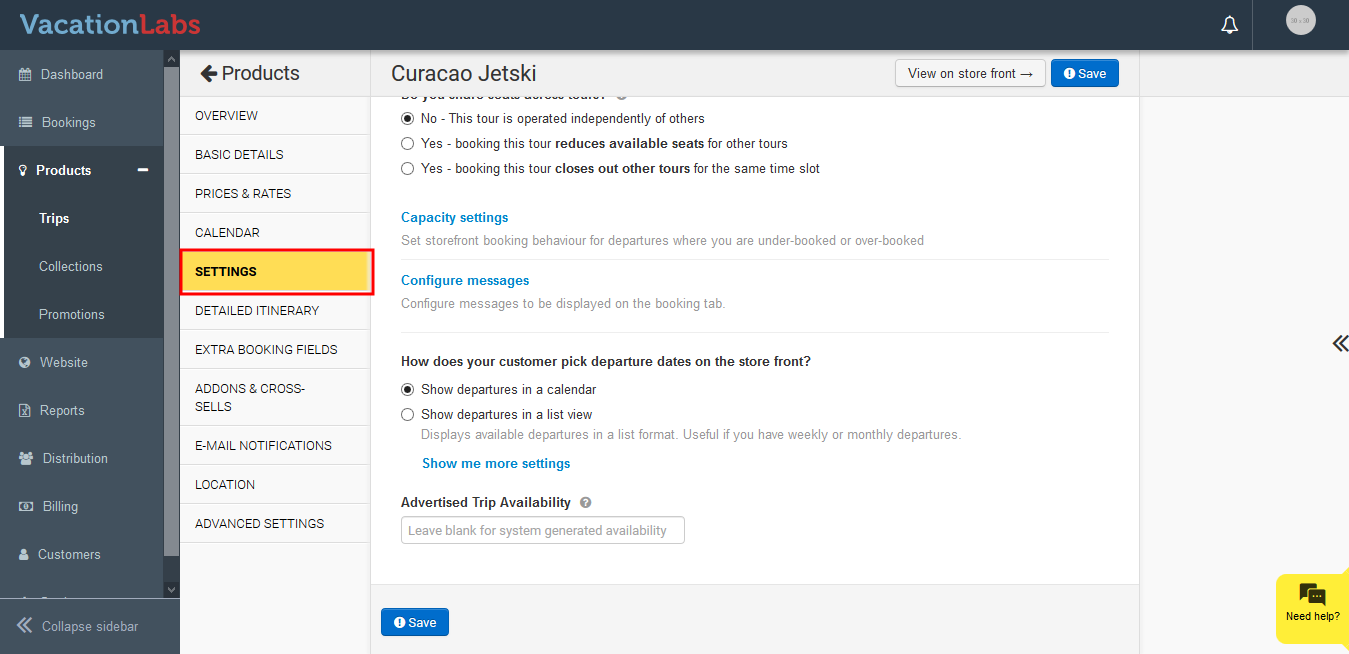 **
** -
Under How does your customer pick departure dates on the store front? click on *Show departures in a list view
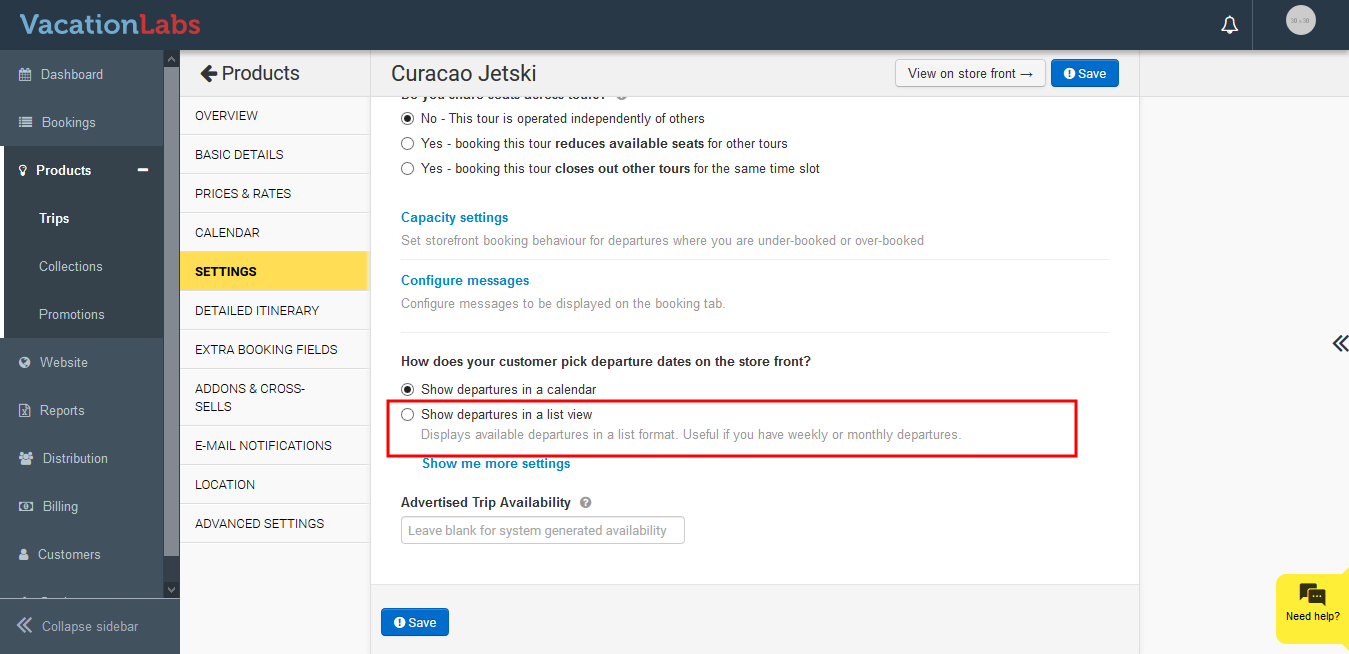 *
* -
Now click on Display a section with upcoming departures on the tour details page to enable it
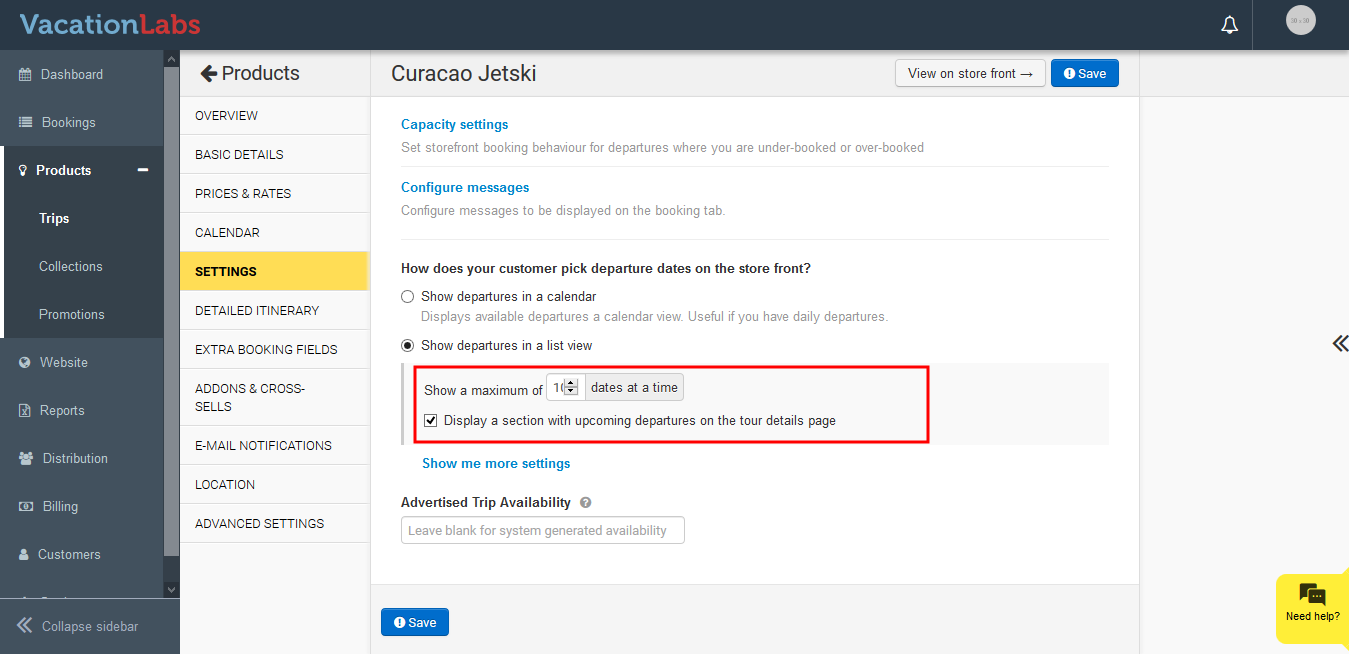
-
Click on Save
Once its activated it would like like the below,
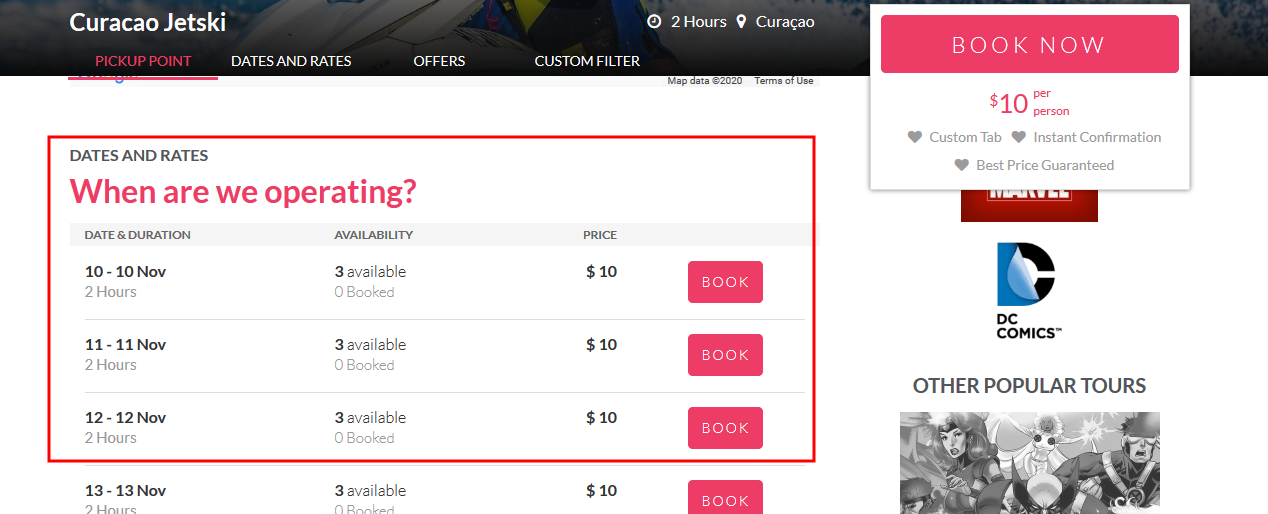
Variant filter dropdown: If your tour has multiple variants (e.g., Standard vs Luxury, or different departure cities like Mumbai vs Delhi), you can enable a variant filter dropdown on the departure list. This lets visitors filter departures by variant instead of scrolling through a long mixed list — especially useful for operators who use variants to represent origin cities or destinations.
To enable it:
- Go to Products > Trips and edit the trip.
- Click Settings.
- Under “How does your customer pick departure dates on the storefront?”, select “Show departures in a list view”.
- Enable the “Show variant filter” checkbox (only appears when the trip has multiple variants).
- Click Save.
The filter also appears on the booking page’s departure list and works alongside the existing month filter. Filter labels (“Filter by variant”, “All”) can be customized via i18n overrides.