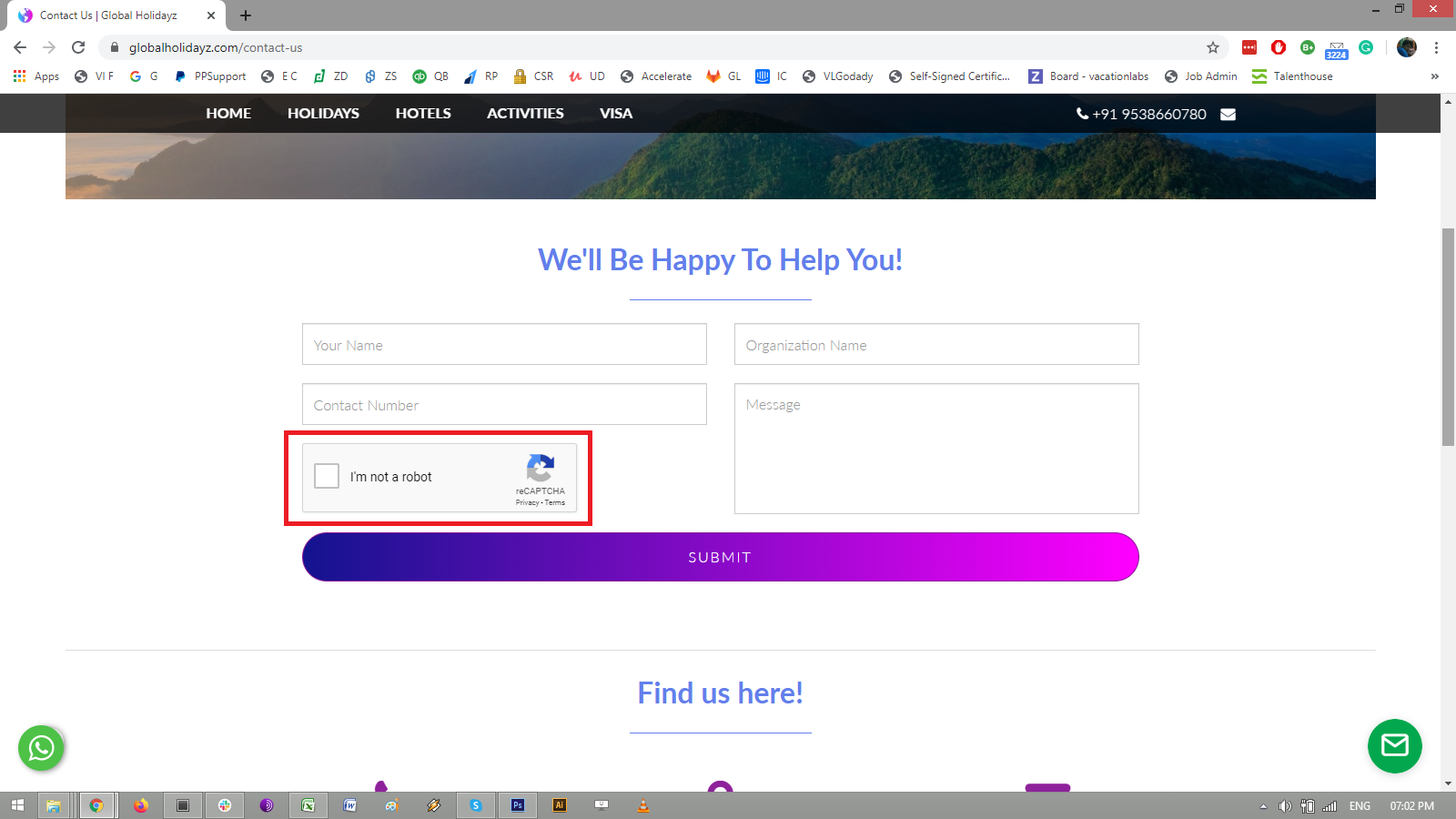
How to enable Captcha on Contact form?
The Contact Form section has been deprecated. The Inquiry Form Section includes built-in invisible reCAPTCHA — no manual captcha setup required. We recommend switching to the inquiry form section for better spam protection and more flexibility.
Please follow these steps to enable Captcha on the Contact us form:
-
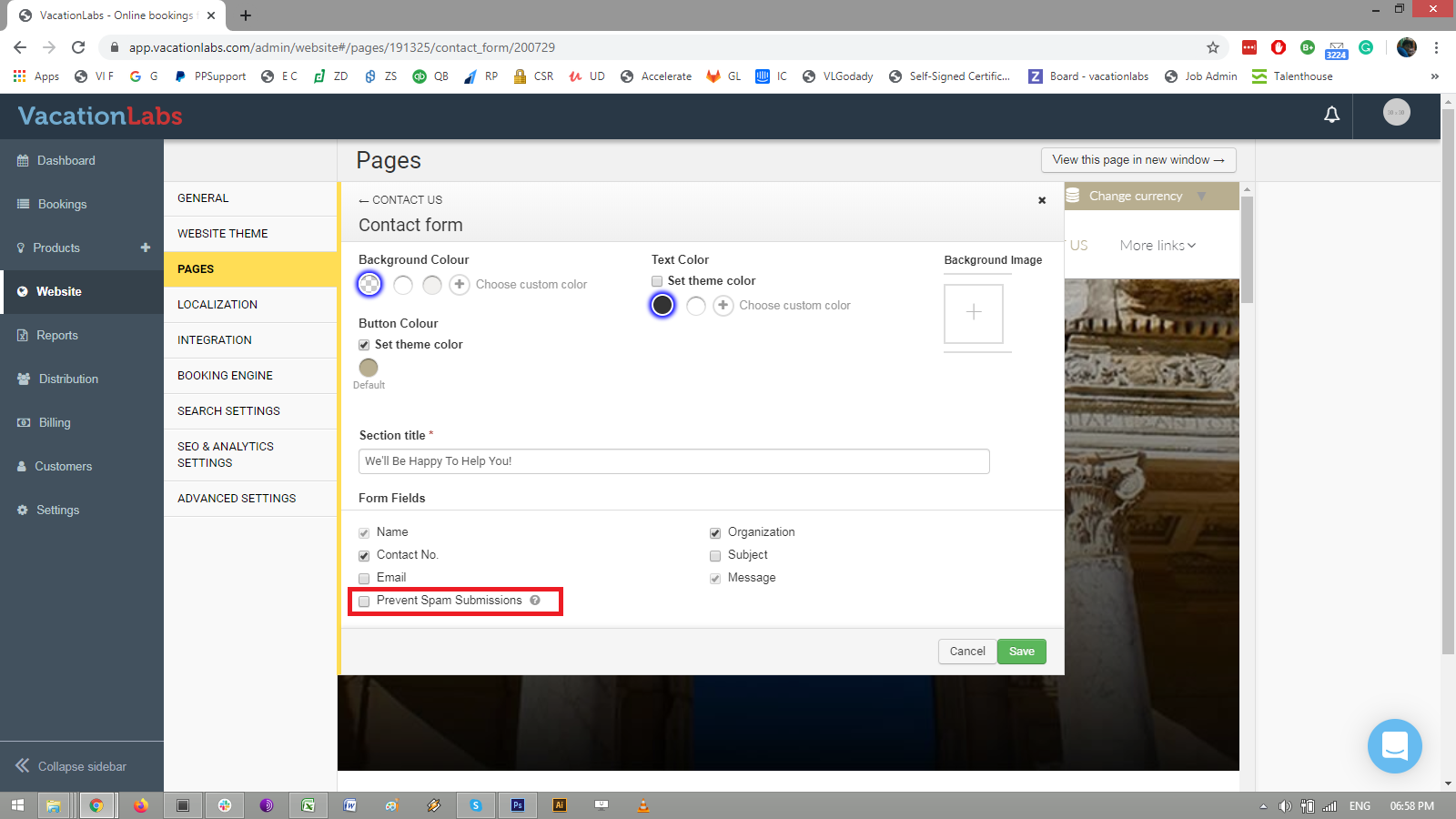
Go to WEBSITE > PAGES > CONTACT US > choose CONTACT FORM
-
click on the check box: PREVENT SPAM SUBMISSIONS
-
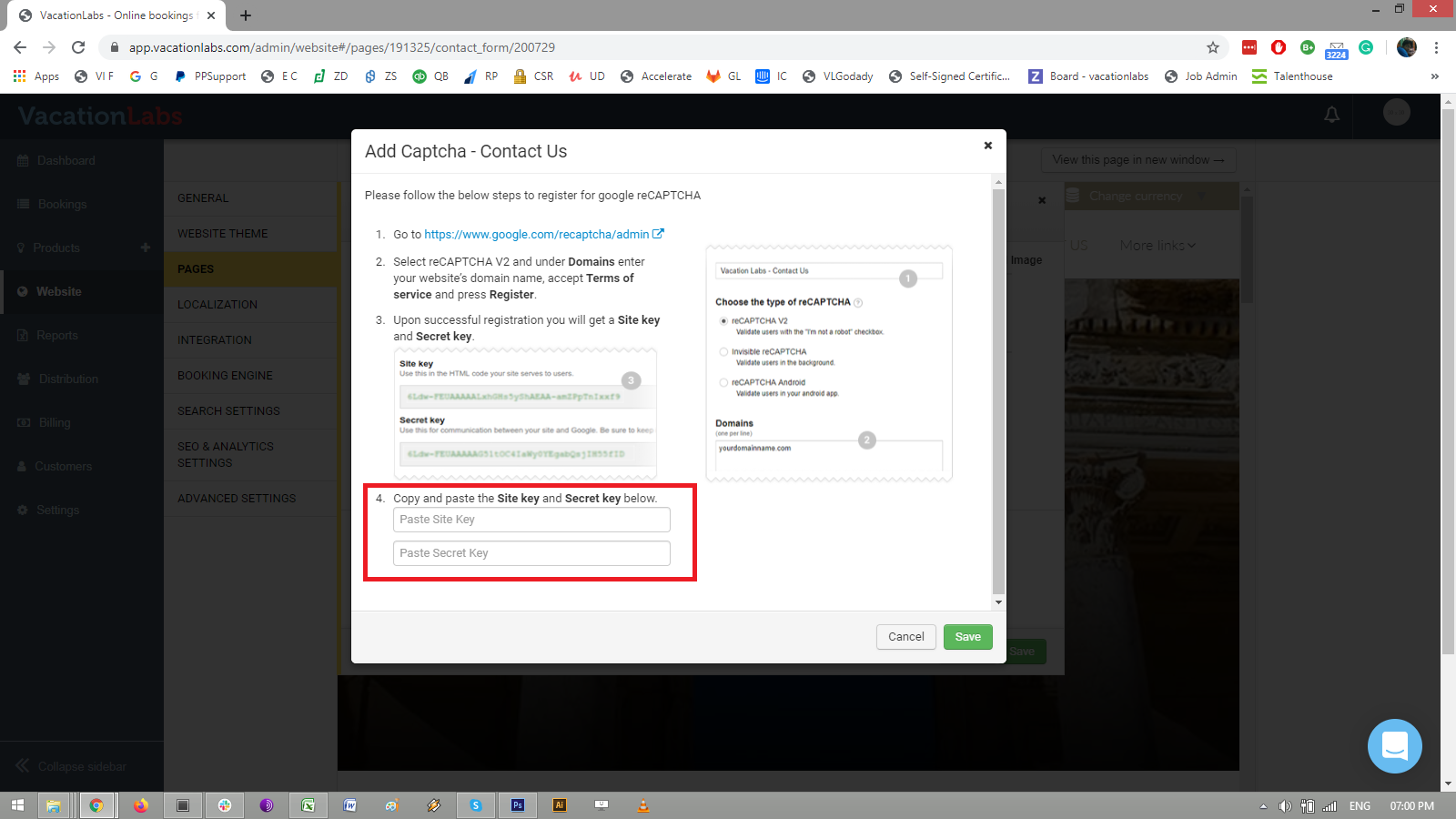
Select reCAPTCHA V2 and under Domains enter your website’s domain name, accept Terms of service and press Register.
-
Upon successful registration you will get a Site key and Secret key.
-
Copy and paste the Site key and Secret key in the fields highlighted in the screenshot below:
-
Once you SAVE it, check on the Contact form and in a few minutes you will be able to see checkbox Captcha enabled on the form.