
Importing Meta Ad Leads as Inquiries
Overview
If you run lead generation ads on Facebook or Instagram, you can connect them to Vacation Labs so that every lead form submission is automatically imported as an inquiry — no manual data entry, no switching between platforms.
When a customer fills out a lead form on your Meta ad, the lead arrives in your backoffice inquiry list within seconds via a real-time webhook.
Prerequisites
Before setting up the integration, you need:
- A Meta Business Manager account
- Admin access to the Facebook Page running the lead ads
- At least one inquiry form configured in your Vacation Labs backoffice (the form that Meta leads will be mapped to)
Setting up the integration
-
Go to Inquiries in the backoffice sidebar.
-
Click the Sync leads / inquiries button in the top-right corner and select Meta Lead Ads Integration.
-
Follow the workflow to connect your Facebook Page — you’ll be asked to log in to Meta and authorize Vacation Labs.
-
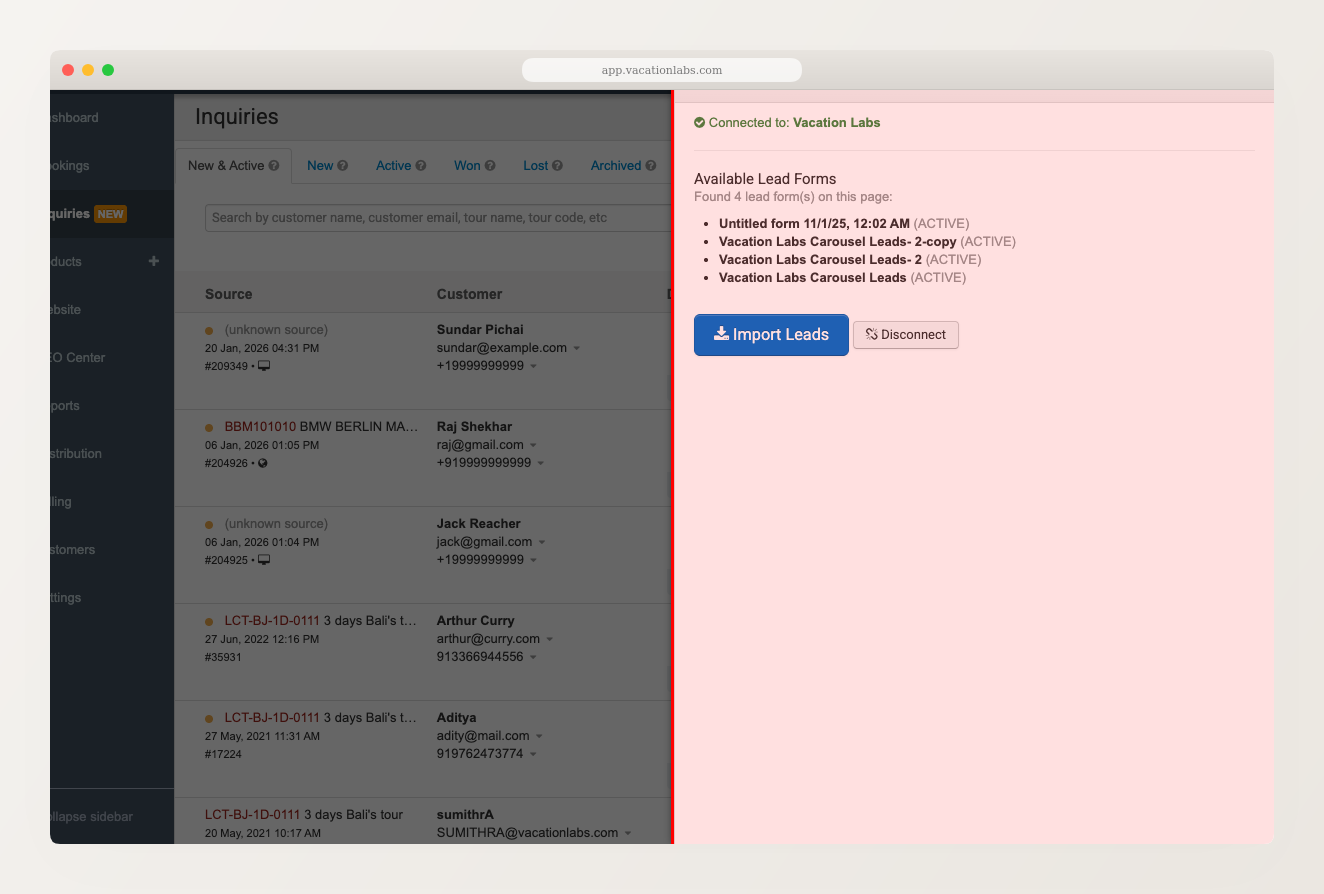
Once connected, the panel shows your available lead forms from the connected Facebook Page.
-
Click Import Leads to pull in any existing leads from your connected forms.
Once connected, leads from your Meta ad campaigns will start appearing in your inquiry list automatically.
You need admin access to the Facebook Page running the lead ads. If you manage multiple Pages, you’ll need to connect each one separately. To disconnect, click the Disconnect button in the integration panel.
How Meta leads appear in your inquiry list
Meta leads show up in the inquiry list just like any other inquiry, with a few distinctions:
- The submission type shows “Meta Leads” so you can distinguish them from website form submissions
- You can filter the inquiry list by source to see only Meta leads
- They appear in the New & Active tab with the orange unread indicator
You can assign them to team members, change their status, and include them in reports — exactly like website inquiries.
Meta leads are available on all plans — it’s not a paid add-on. Contact support@vacationlabs.com if you need help with the initial setup.
Related Articles
- Managing Inquiries — overview of the inquiry system
- Viewing, Searching, and Managing Inquiry Status — search and organize your inquiries