
Adding/Modifying Meta Title & Meta Description (Page SEO) for Collection Pages
Looking for a faster way? SEO Center lets you edit meta titles and descriptions for all your pages — tours, collections, and static pages — from one unified interface, without opening each collection individually. See Editing Meta Titles & Descriptions via SEO Center.
Setting up Meta Title & Meta Description in today’s digital market helps your website in better indexing and in search results. We would recommend you to always add the Meta Title and Description for each page so that it will help your website in indexing.
You can easily modify the Page SEO in Vacation Labs for any Collection Page.
To modify the Meta Title & Description for any Collection Page, please follow the below steps,
-
Login into Vacation Labs
-
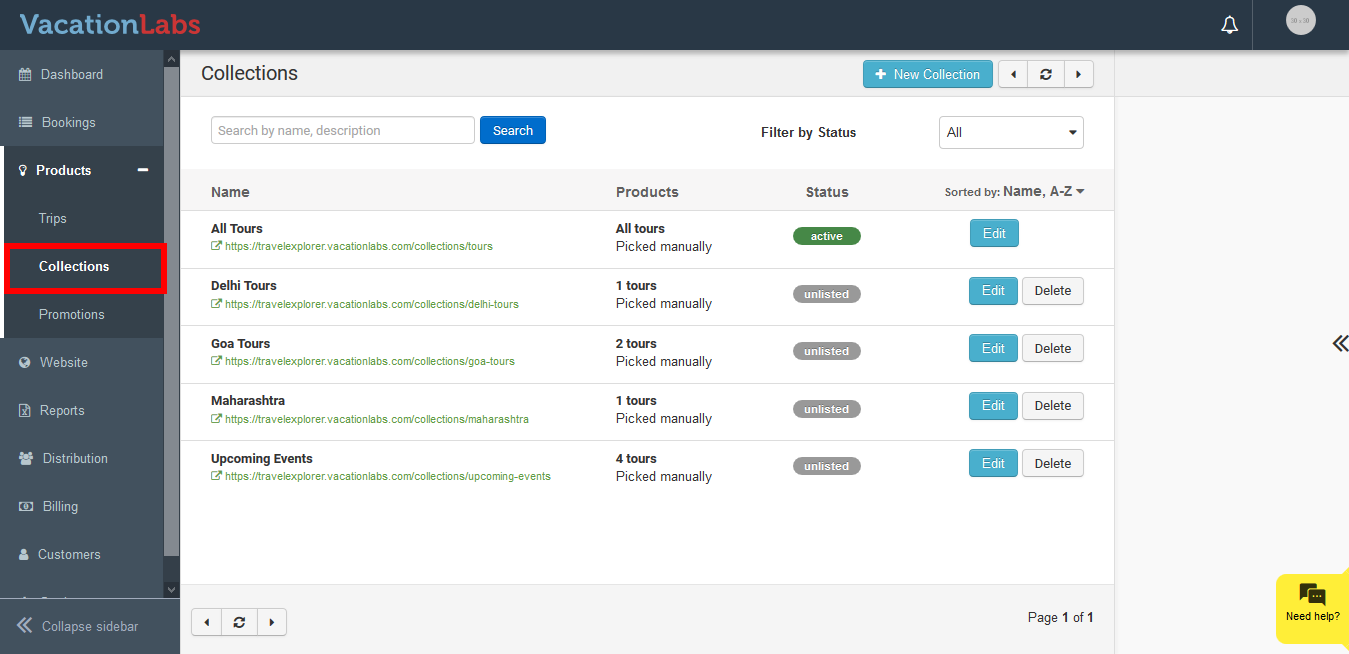
Click on the Product Tab.
-
Click on the Collection.
-
Select the Collection for which the Meta Title & Description need to be modified.
-
Click on the Edit button.

-
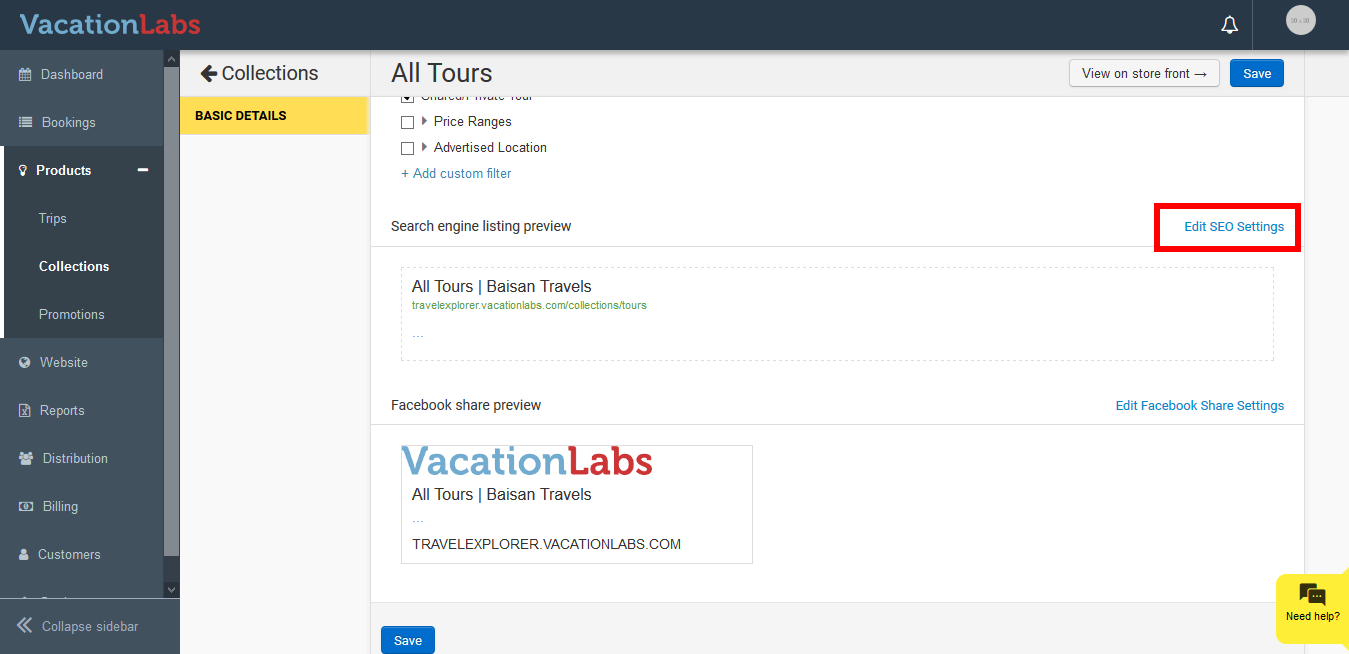
Scroll down you can find an Edit SEO Settings option.
-
Click on Edit SEO Settings
-
You can find the option to modify the Page SEO, Facebook Post, URL, etc.
-
Update the content.
-
Click on Save.
What’s Next?
We would recommend you to check our article on Adding/Modifying Meta Title & Meta Description (Page SEO) for Static Pages to enhance your static page SEO.