
Global SEO Settings & Site-Wide Schema
Overview
The Settings section in SEO Center lets you control schema markup at the site level — enable or disable all rich snippets at once, customize your Organization and LocalBusiness JSON-LD, and toggle breadcrumb schema.
Schema markup is enabled by default for all websites. Most sites should leave it on.
Master toggle
The master toggle lets you disable all schema markup across your entire website with one click.
- Go to SEO Center > Settings.
- Uncheck Enable schema markup to disable all rich snippets site-wide.
- Check it again to restore schema markup.
Turning the master toggle back on restores your per-page settings. Schemas you individually disabled on specific pages stay disabled — the master toggle doesn’t override your per-page choices.
Only disable the master toggle if you have a specific reason to remove all rich snippets from your website. In most cases, schema markup helps your search visibility.
WebSite schema
The WebSite section is auto-generated from your business name and domain. It tells search engines about your website as a whole and can enable sitelinks search box in Google results. Like Organization and LocalBusiness, you can expand this section and check Override auto-generated WebSite schema to customize the JSON-LD.
Breadcrumb schema
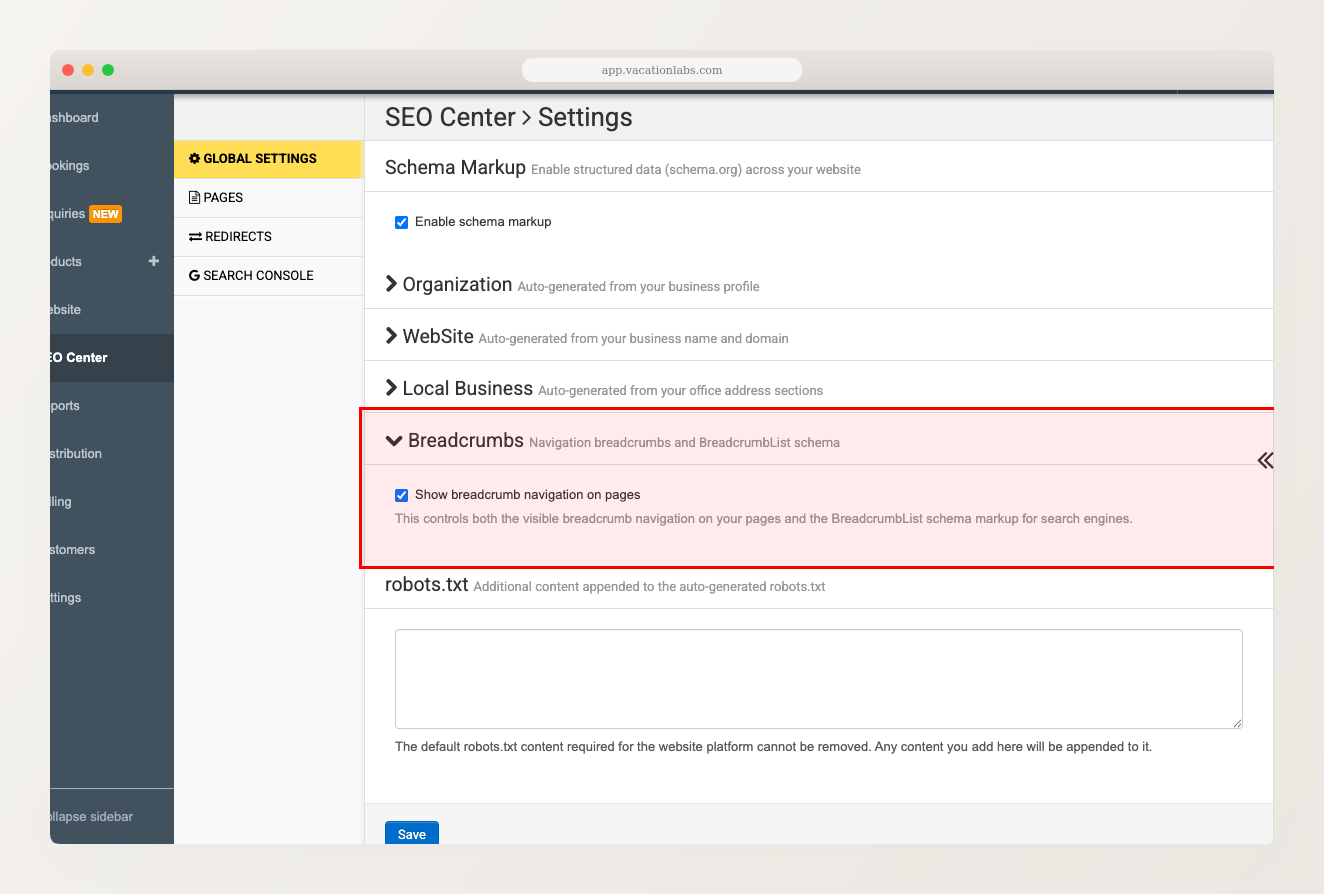
The Breadcrumbs section controls both the visible breadcrumb navigation on your pages and the BreadcrumbList schema markup for search engines.
Organization JSON override
Your website automatically generates Organization schema from your business details (name, logo, social media links, etc.). If you need to customize this JSON-LD — for example, to add fields that aren’t pulled from your account settings — you can override it here.
- Go to SEO Center > Settings.
- Click the Organization section to expand it. You’ll see which pages it appears on and the auto-generated JSON-LD.
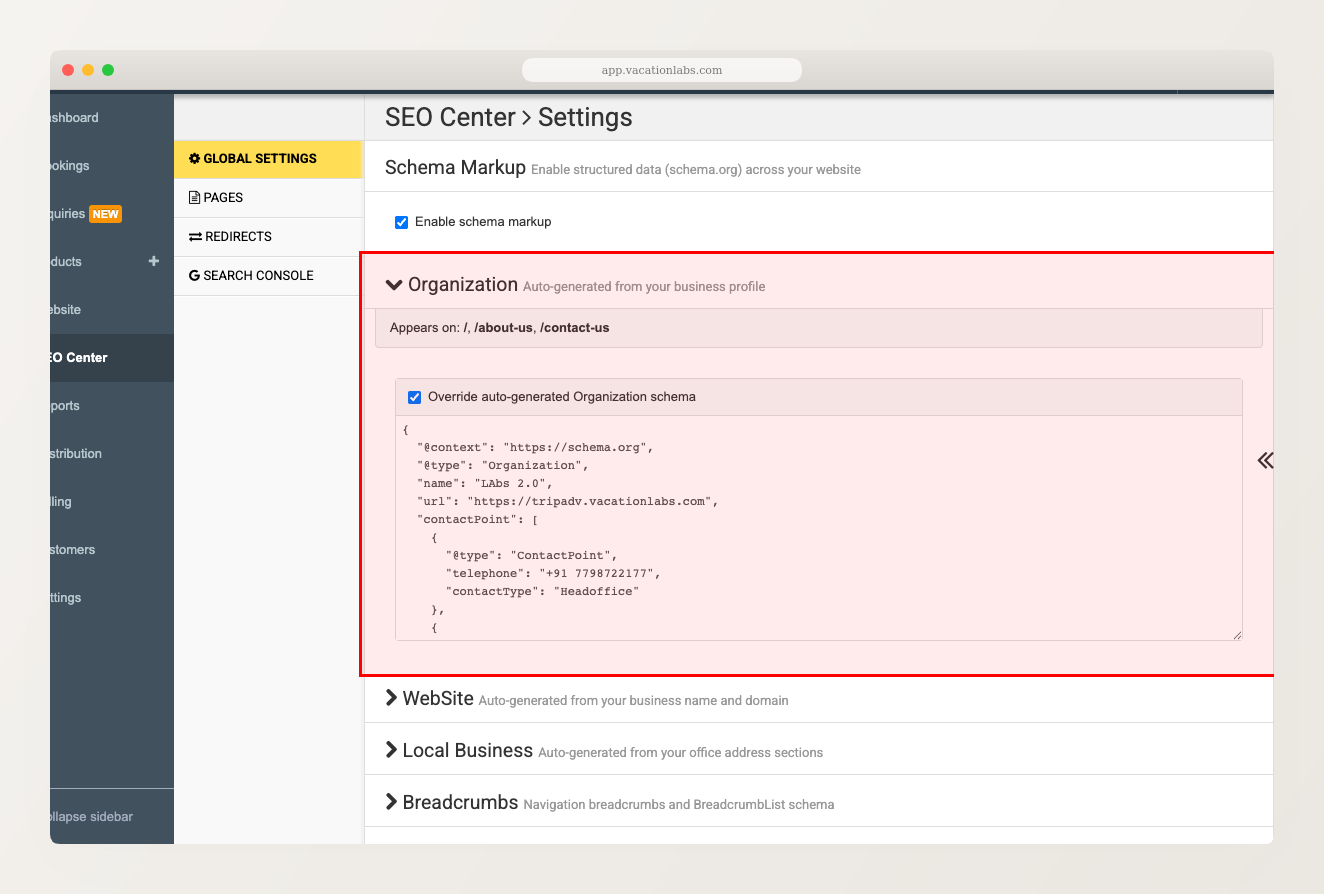
- Check Override auto-generated Organization schema to make the JSON editable.
- Edit the JSON directly. The field must contain valid JSON.
- Click Save.
LocalBusiness JSON override
Similar to Organization, your LocalBusiness schema is auto-generated from your business address and contact details. It appears on pages that include an address section (homepage, Contact Us, etc.).
To customize it:
- Go to SEO Center > Settings.
- Click the Local Business section to expand it.
- Check Override auto-generated LocalBusiness schema to make the JSON editable.
- Edit the JSON directly. The field must contain valid JSON.
- Click Save.
Related Articles
- Managing Schema Markup (Rich Snippets) — per-page schema toggles and custom JSON-LD
- SEO Center — Overview