
How to add a Google Tag Manager script on your website?
Analytics
Updated
See also: The built-in Website Analytics dashboard covers your traffic and conversions natively. Add Google Tag Manager when you need to manage third-party tags and scripts yourself.
A GTM tracking script is like any 3rd party script and usually comes with instructions regarding where it needs to be added. GTM script is divided in 2 parts:
- Part 1 - must be placed in the HEAD or HEADER section of the website
- Part 2 - must be placed in the Body Section of the website
Please follow the steps below to add these 2 parts on your Vacation Labs website:
To add the script in the HEAD or HEADER section:
- Go to WEBSITE > ADVANCED SETTINGS > HEAD and paste the Part 1 of the code here(See screenshot below for reference)
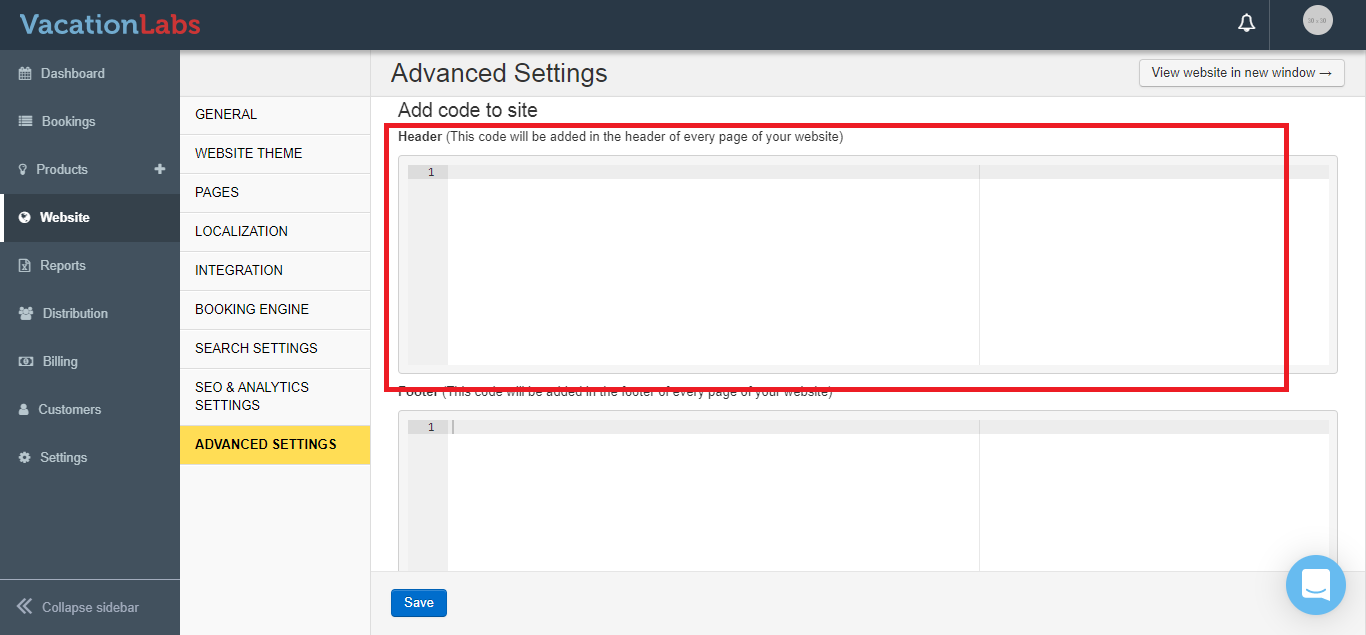
To add he script in the Body Section:
- Go to WEBSITE > ADVANCED SETTINGS > FOOTER and paste the Part 1 of the code here(See screenshot below for reference)
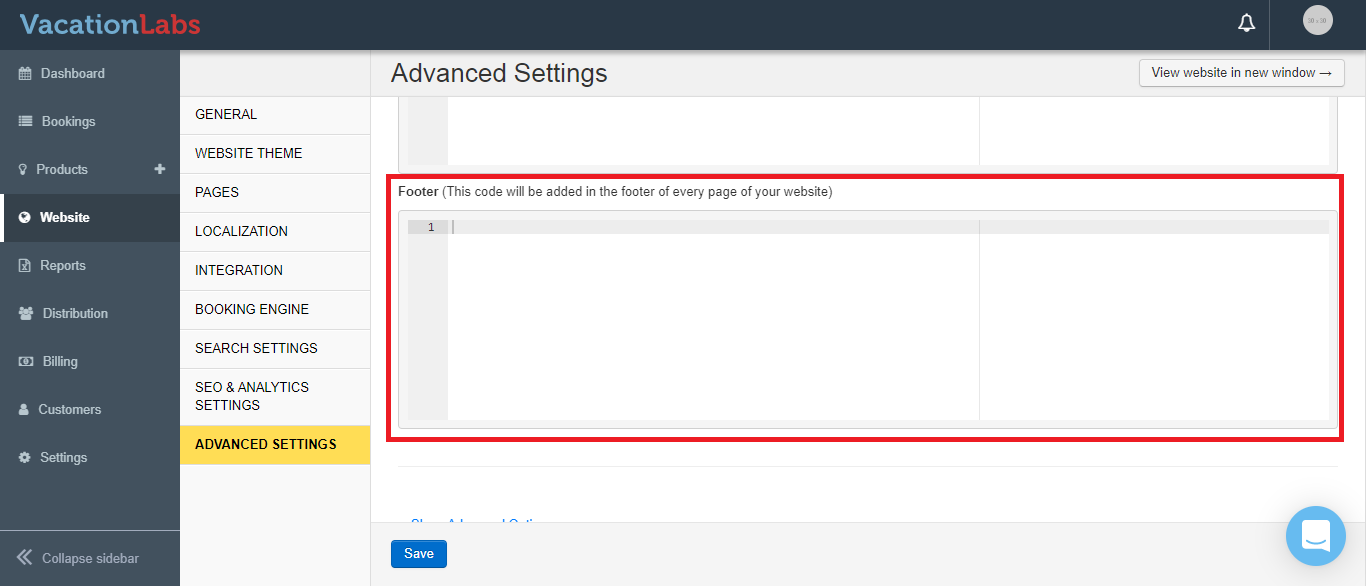
Once you have added the scripts,make sure you SAVE the changes.