Take Control of Your Website’s SEO with the New SEO Center

Release Notes March 3, 2026

Manage all your SEO settings from one place

We’ve added a new SEO Center to your backoffice — a single dashboard where you can manage everything related to your website’s search engine optimization. Instead of hunting through different screens to update meta tags, set up redirects, or check your Google Search Console connection, you can now handle it all from one place.

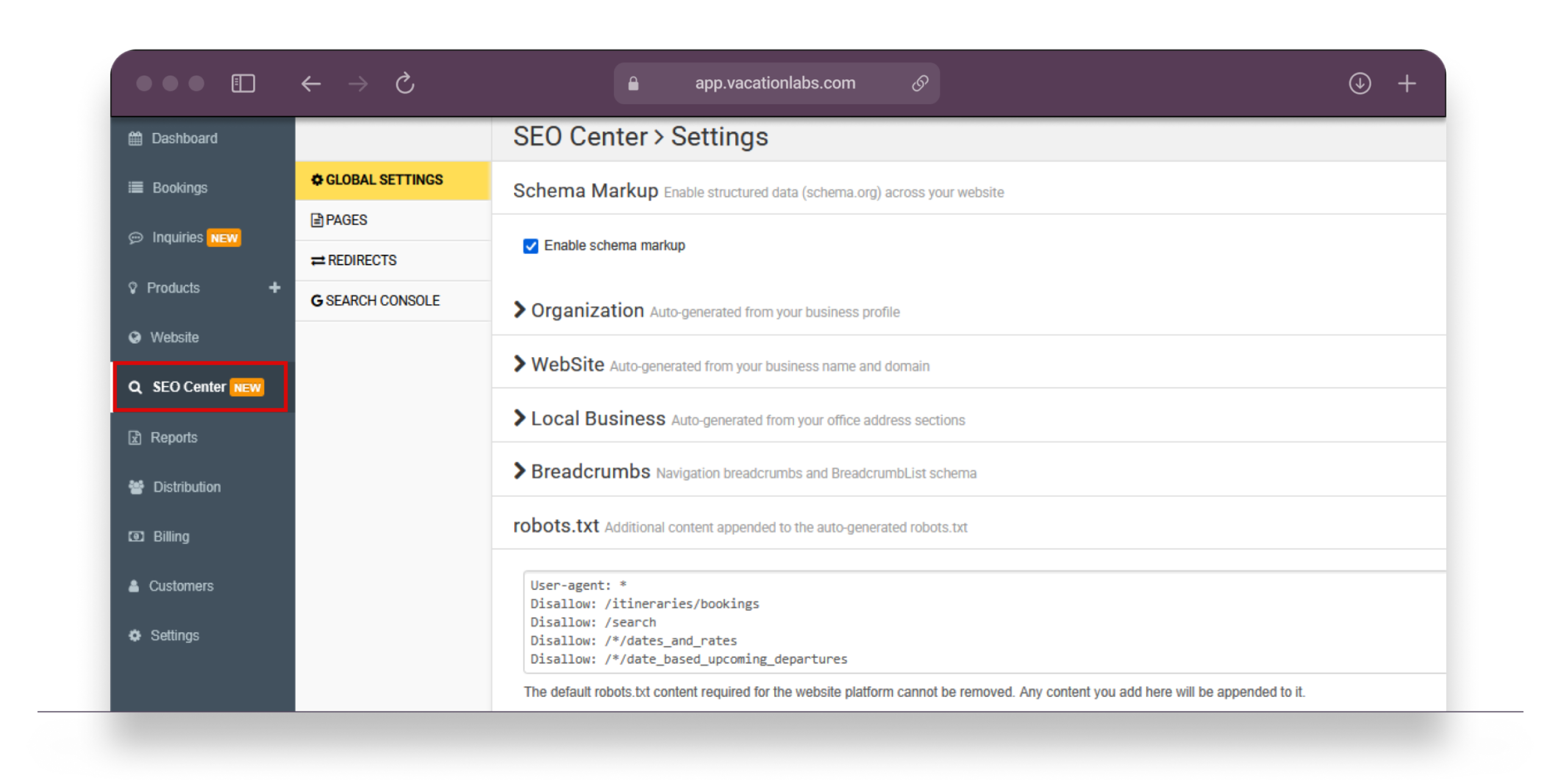
SEO Center includes four sections: Pages (meta tags and schema markup), Redirects (301 redirects), Settings (global schema controls and robots.txt), and Search Console (Google integration). Here’s a quick overview of the key highlights.
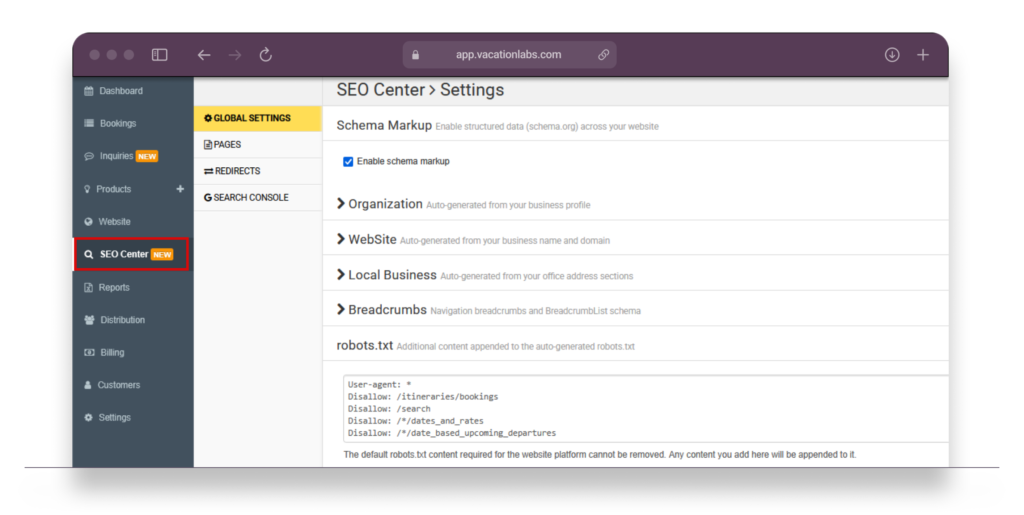
Backoffice desktop screenshot showing SEO Center landing page with sidebar navigation (Pages, Redirects, Settings, Search Console) and the Pages table visible with page type filter dropdown and search bar. Red box around the sidebar navigation.Edit meta titles & descriptions for any page
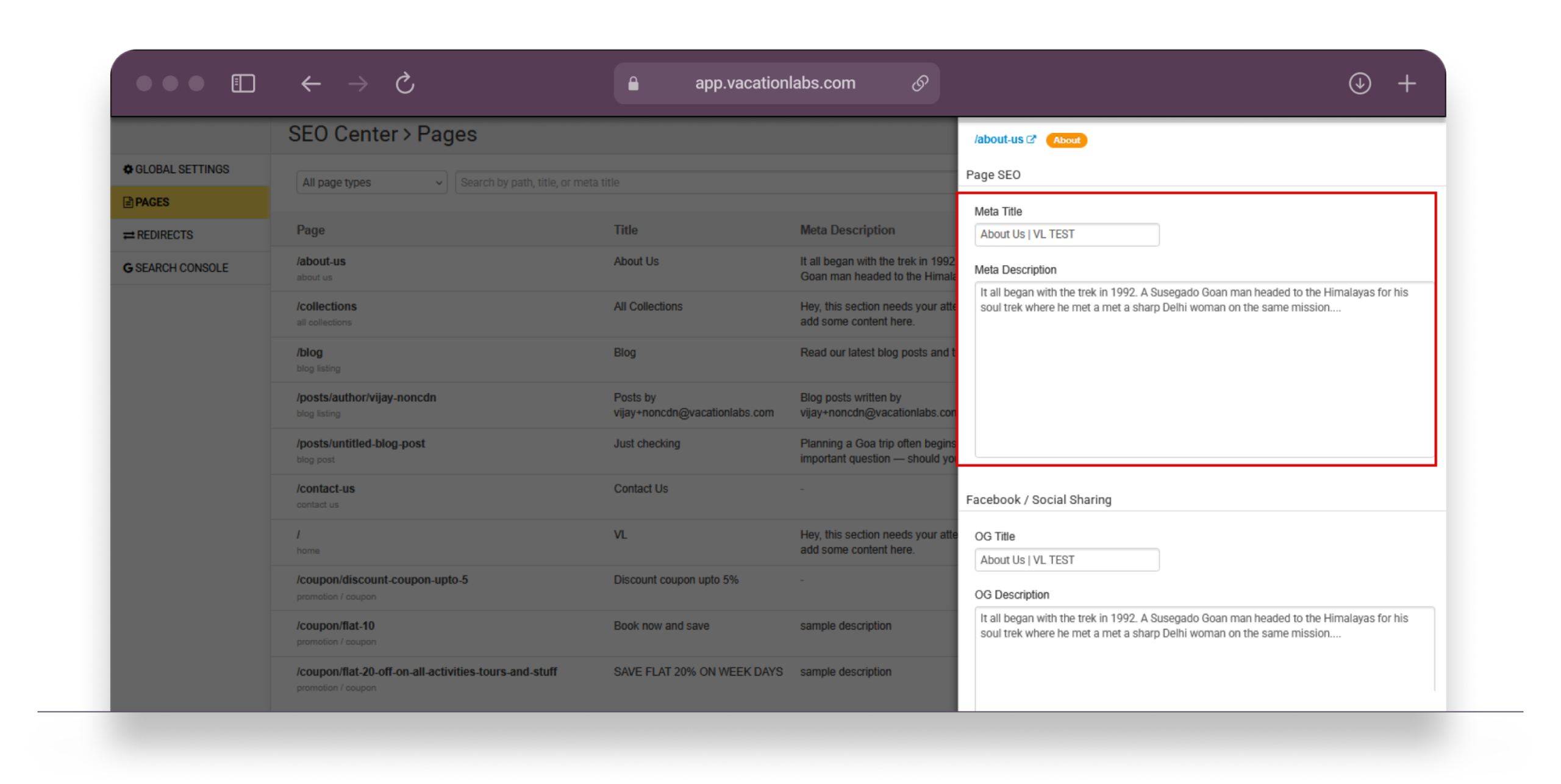
The Pages section lists every page on your website — tours, collections, blog posts, static pages, and more. You can search by URL, filter by page type, and click any row to open a sidebar where you edit the meta title and meta description right there.

Previously, updating meta tags meant opening each trip, collection, or page individually. Now you can review and update them all in one sitting — useful when you’re doing a bulk SEO cleanup or optimizing pages after a Google Search Console review.Backoffice desktop screenshot showing SEO Center Pages sidebar with meta title and description fields
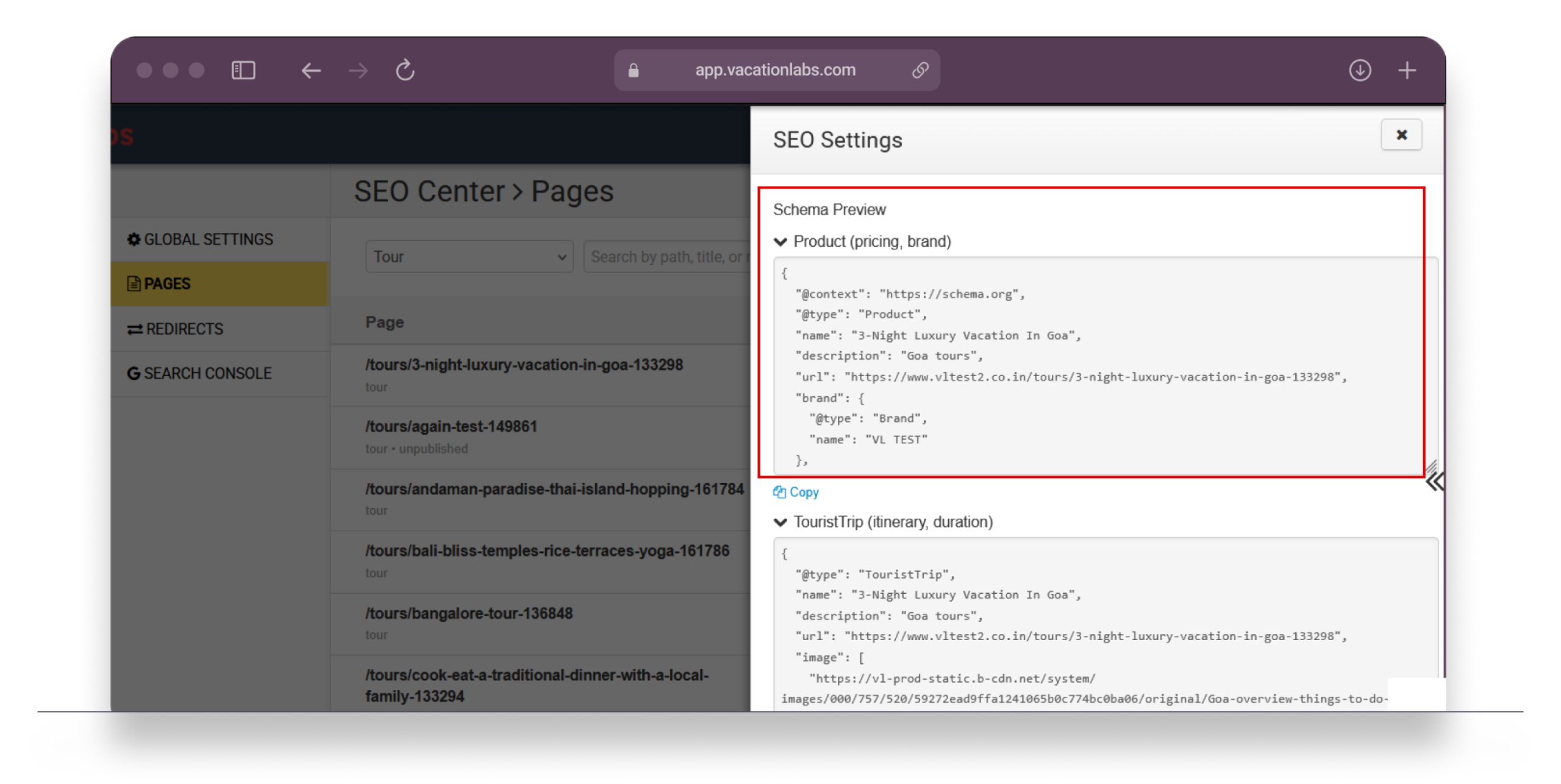
Comprehensive refresh of rich snippets (schema markup)

Your website has always generated some schema markup, but we’ve given it a comprehensive refresh. The system now covers every page type with richer, more accurate structured data — the kind that helps Google display rich results in search, like prices, event dates, and business information directly in the search listing.

Here’s what gets generated automatically based on your page type:

Tour pages: Product, TouristTrip, and Event schemas — including pricing, duration, capacity, itinerary, and images. Event schema only appears when your tour has visible dates & rates.
Collection pages: ItemList schema that tells Google about all the tours in each collection.
Blog posts: Article schema with headline, author, publish date, and featured image.
Homepage & static pages: WebSite, AboutPage, and ContactPage schemas based on your page content.
Breadcrumbs: BreadcrumbList schema on any page with breadcrumb navigation.


You’re in full control: open any page in SEO Center, and you’ll see toggles for each schema type. Turn individual schemas on or off, and watch the live JSON-LD preview update in real time. Need to add something custom, like FAQ schema? There’s a dedicated field where you can paste your own JSON-LD code.

Backoffice screenshot showing SEO Center schema toggles with JSON-LD previewOrganization & LocalBusiness schema — auto-generated from your existing settings

Your Organization schema is automatically built from information you’ve already entered elsewhere — your business name, logo, and social media links. Similarly, LocalBusiness schema is generated from your business address and contact details, and appears on pages that include an address section (homepage, Contact Us, etc.).

If the auto-generated JSON doesn’t quite fit — say you want to add fields that aren’t pulled from your account settings — you can override both Organization and LocalBusiness JSON-LD directly from SEO Center > Settings.

Note: Schema markup is enabled by default for all existing websites. You don’t need to do anything to start benefiting from rich snippets — just verify your pages look correct in Google’s Rich Results Test.

Full visibility into 301 redirects

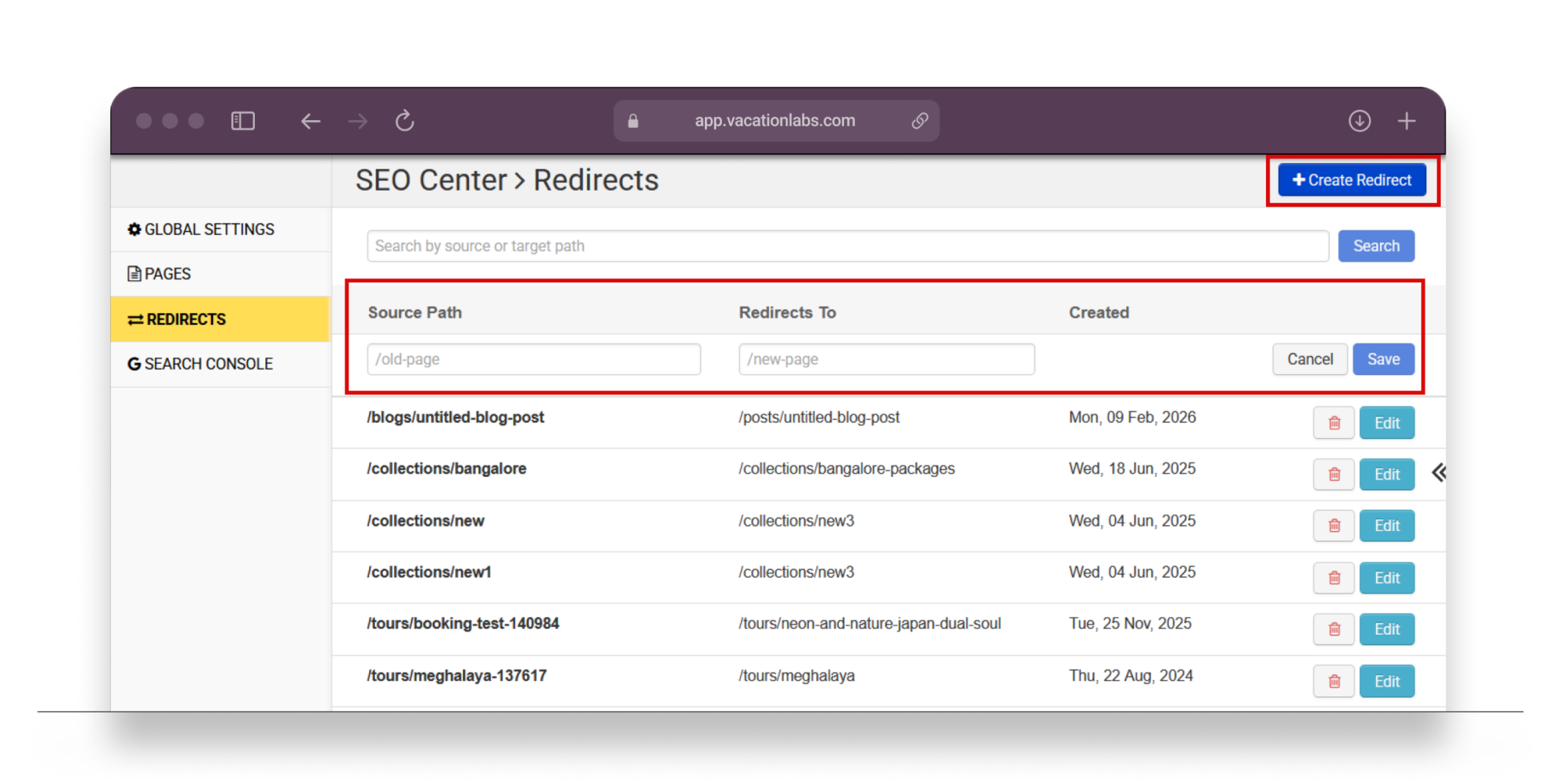
Vacation Labs has always created automatic 301 redirects when you change a tour’s URL — so you’ve never had to worry about broken links from URL changes. But until now, there was no way to see those redirects or create custom ones (say, for a deactivated trip or a restructured page) without raising a support ticket.

The new Redirects section in SEO Center gives you full visibility into all existing redirects and lets you create, edit, and delete your own. Just enter the old path and the new path, and the redirect takes effect immediately.

Chain detection: If you create a redirect that would form a chain (A → B → C), the system automatically flattens it (A → C) so visitors and search engines always reach the final destination in one hop.
Smart validation: You can’t accidentally redirect a live page, and creating a redirect for an existing source path updates it instead of creating a duplicate.
Backoffice screenshot showing SEO Center Redirects with Create Redirect form open

Plus: Global settings, robots.txt, and Search Console

A few more things you can manage from SEO Center:

Master schema toggle: Turn all rich snippets on or off across your entire website with a single switch. Your per-page settings are preserved either way.
Organization & LocalBusiness overrides: Customize the JSON-LD for your business details if the auto-generated version doesn’t quite fit.
Robots.txt editor: Append custom directives to control which search engine crawlers can access specific pages.
Google Search Console: Connect (or disconnect) your Search Console account directly from SEO Center — no more digging through Website Settings.

Explore the full SEO Center documentation →
Available on all billing plans

Set-up dynamic pricing for your tours right away

Sign up today and get a free 14-day trial!