Release Notes • November 24, 2025 • Vijay
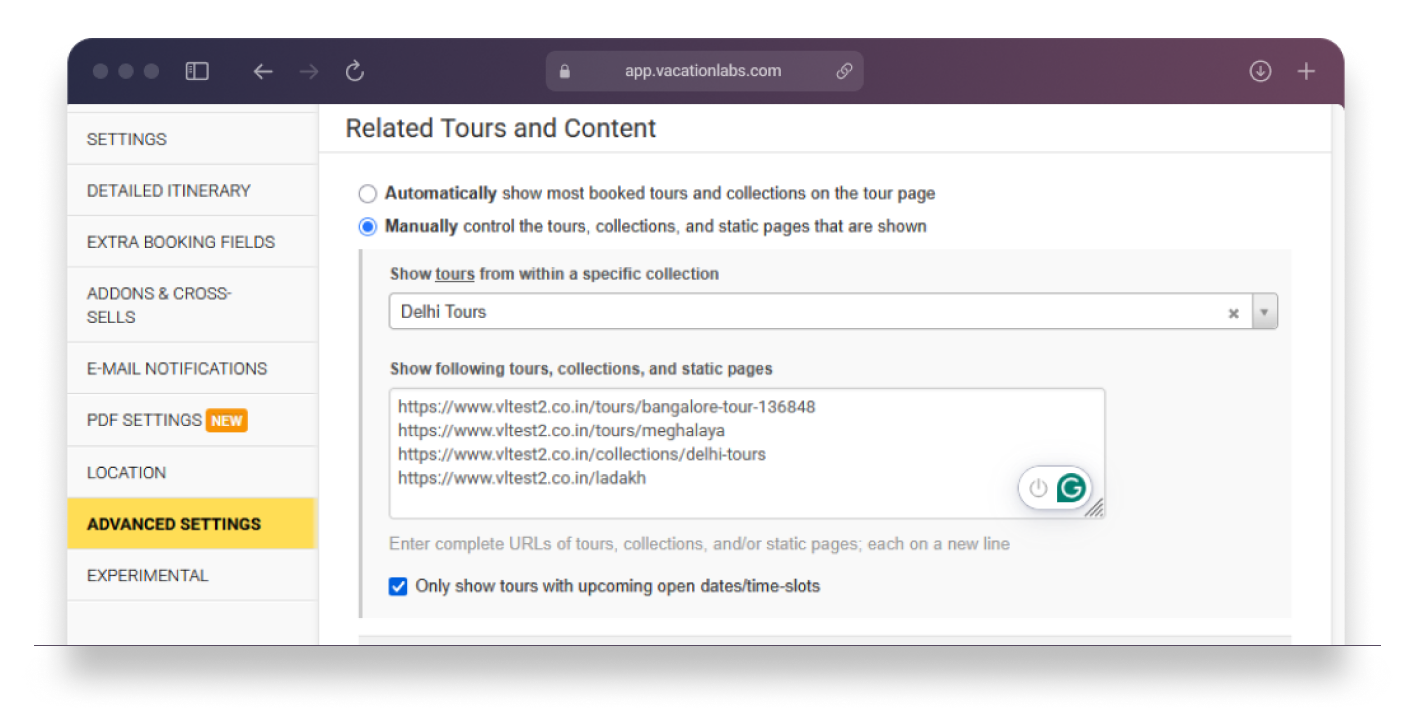
You can now fully customize what appears under the Related Tours section on each tour details page. This section appears on the right side of the tour page under the “Explore more” area and lets you decide what tours, collections, or static pages are promoted alongside your main content.
Choose between two flexible modes:
You can even choose to show only tours with upcoming departure dates and customize the heading (default: “Explore more”) to better match your website’s tone or branding.
The Related Tours section helps you cross-promote your tours and keep visitors engaged longer on your website. Whether it’s highlighting tours from the same destination, featuring new itineraries, or upselling premium experiences — this section can drive more engagement and bookings without any manual effort.
This update also strengthens your website’s internal linking structure — a positive SEO signal that helps search engines understand how your tours are related and improves overall discoverability.
store_front.tour_details_page.sidebar.related_content_heading.