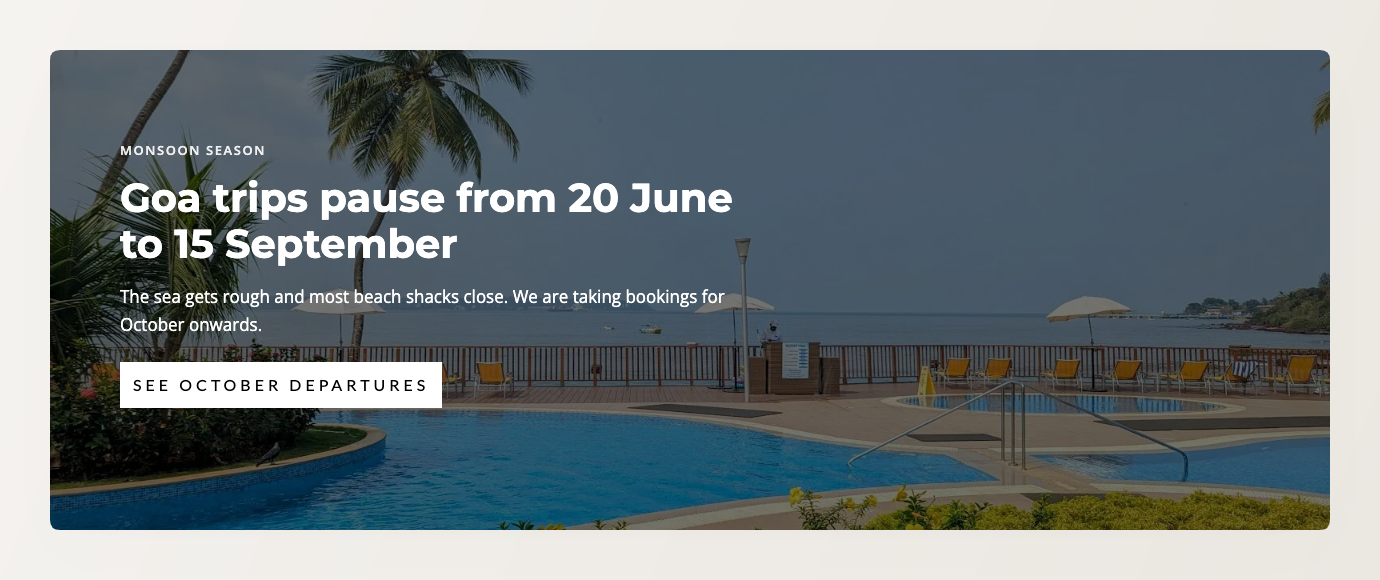
You can now add a Hero Content Block to your website: a full-width band with a small label, a headline, a short paragraph and up to two buttons, over a background photo or a solid colour. It works on static pages, on blog posts, and on collection pages that use the section-based layout, and it is available on all plans.
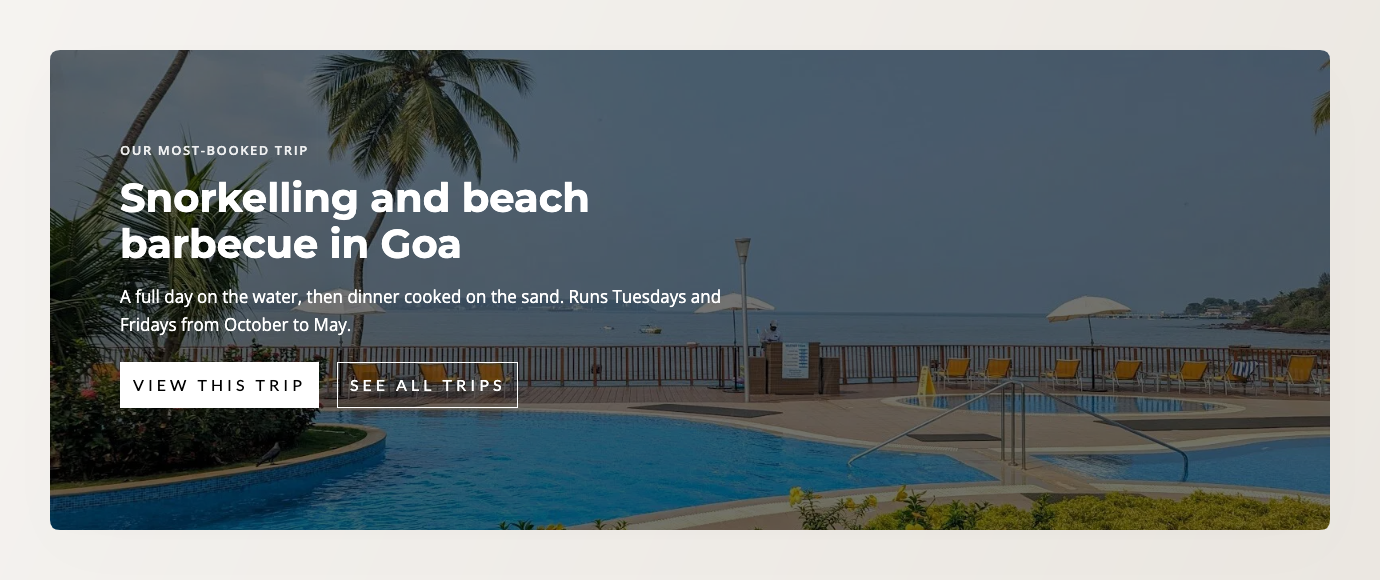
Until now the only full-width unit of this kind was Banner Slides, which is fixed to the top of the page and built as a rotating carousel. A single unchanging message meant a one-slide carousel with one button.
Banner Slides is your page’s fixed first section. It always sits at the very top, it has its own design, and it rotates through slides that can pull in your tours, collections and promotions automatically. It is built to show range.
A Hero Content Block shows a single message instead of cycling through slides. It is also an ordinary section, so it is not pinned to the top of the page. You can put it wherever you want below the banner.
Home pages and landing pages can usually use both: the banner at the top showing your range, then a hero further down for one specific offer, a line on what makes you different, or a single next step you want visitors to take.
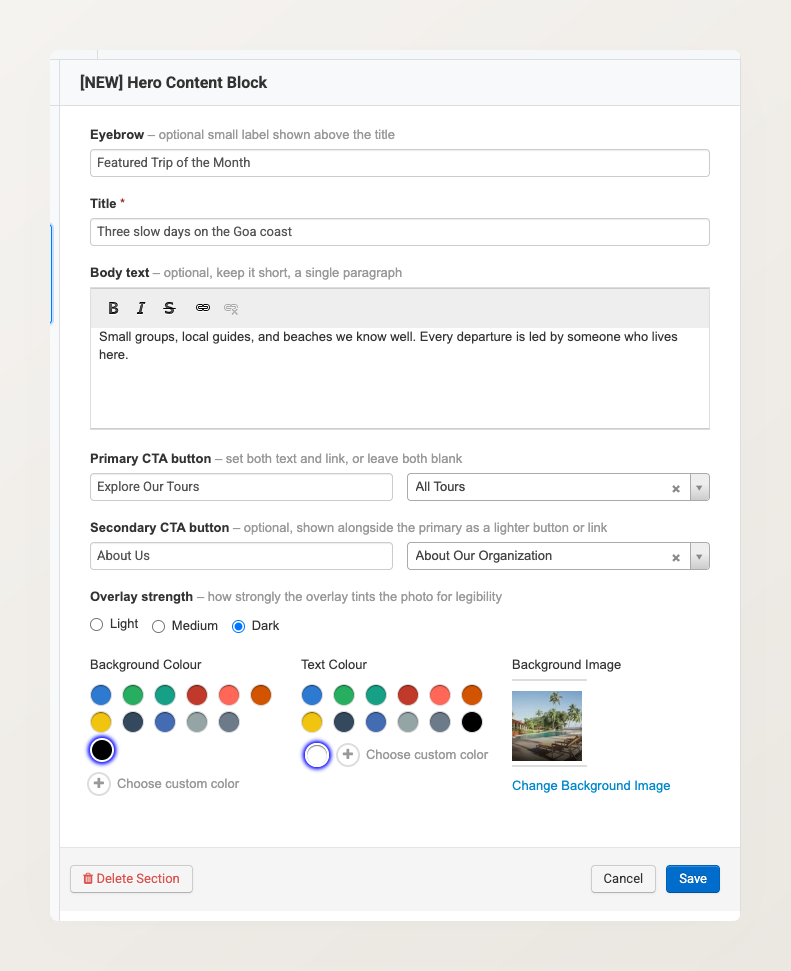
The label, headline and paragraph are yours to write. Each button can point at one of your pages, collections, tours, promotions or blog pages, or at a custom URL. Every setting sits in one panel:
The second button is optional. Here the same section carries a seasonal notice with a single button: