Release Notes • July 20, 2026 • Saurabh Nanda
This release brings three improvements to how you handle inquiries: bring them in from outside channels in bulk, route new ones to the right salesperson automatically, and control which inquiries each member of your team can see.
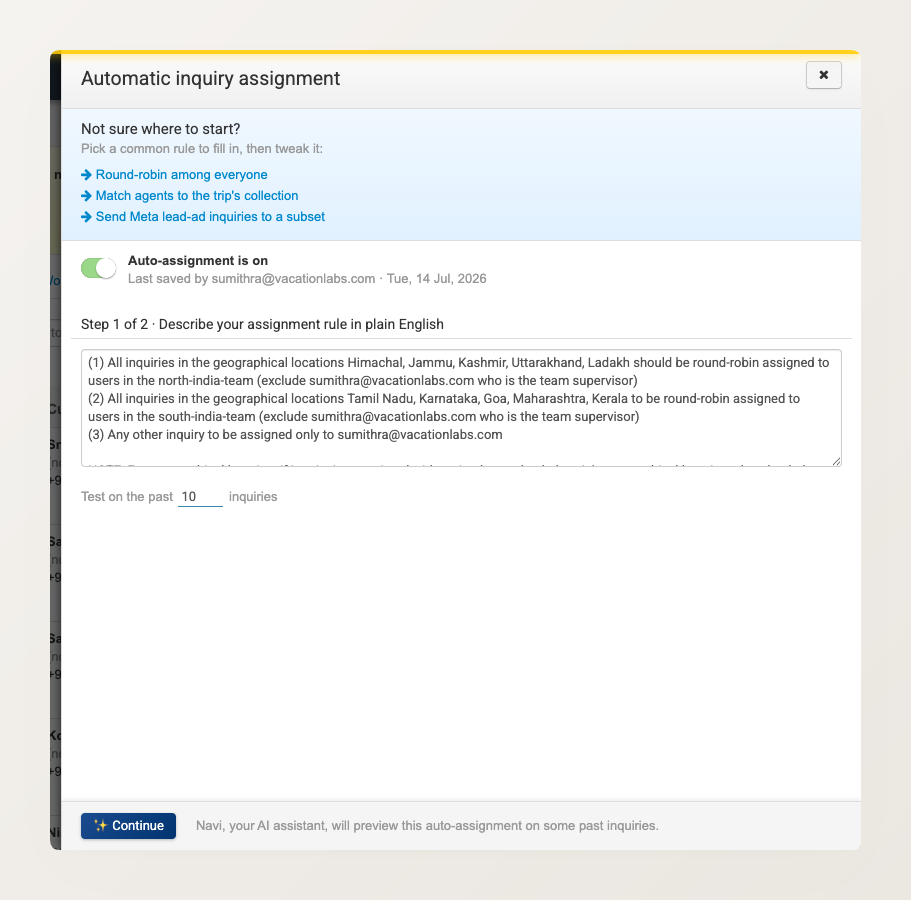
Before this update, every new inquiry landed in one shared list, and someone had to decide who works on it. Now you can set up an assignment rule once, and each new inquiry goes to the right salesperson the moment it arrives.
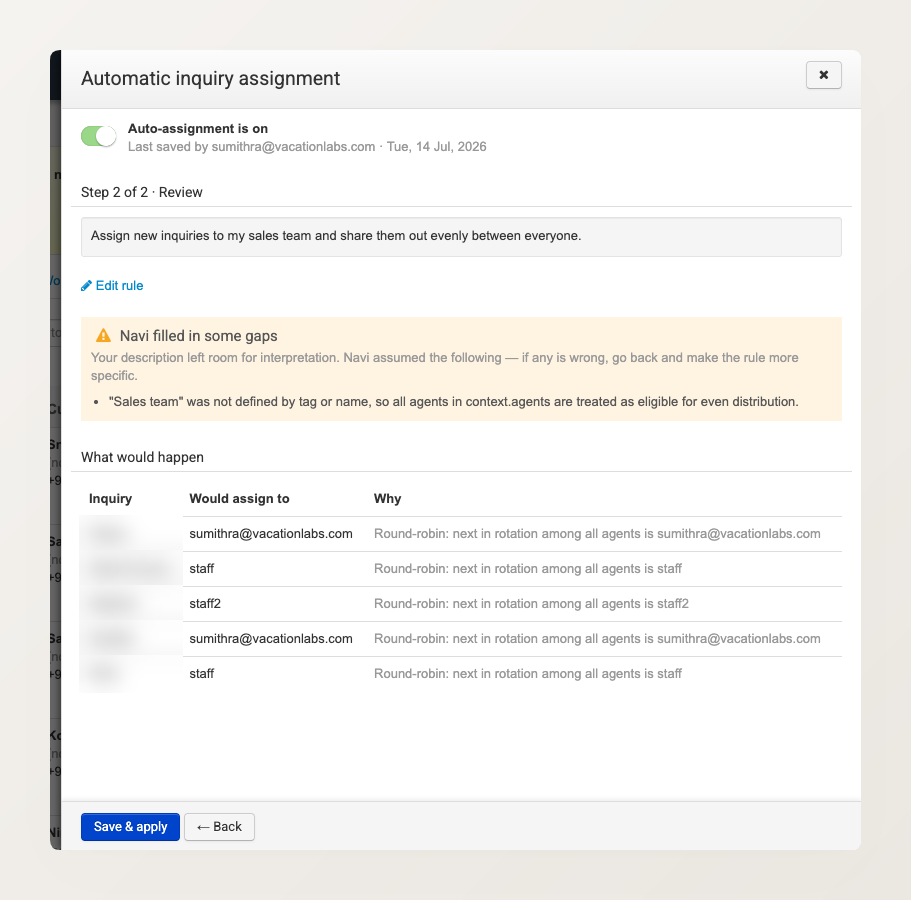
You describe the rule in plain English. For example: “Route Himachal and Kashmir inquiries to the North India team and share them evenly. Send everything else to the reservations manager.” Navi, your AI assistant, turns that description into a working rule. If your description leaves anything open to interpretation, Navi tells you the assumptions it made, so you can go back and tighten the rule.
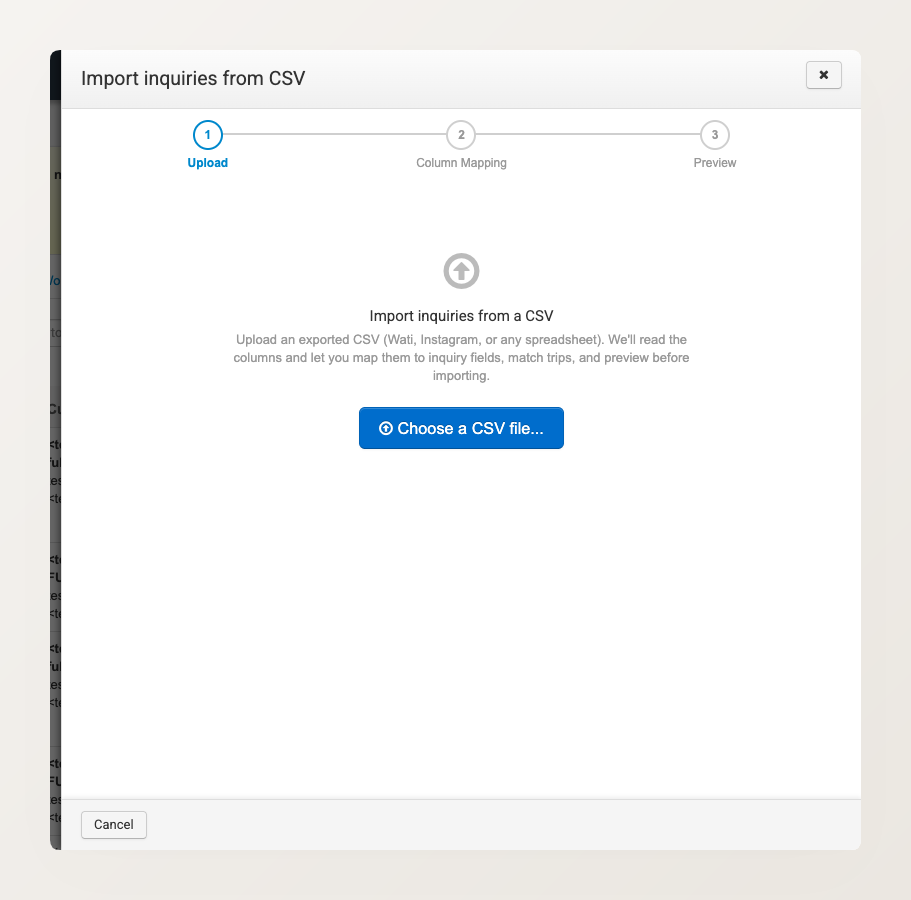
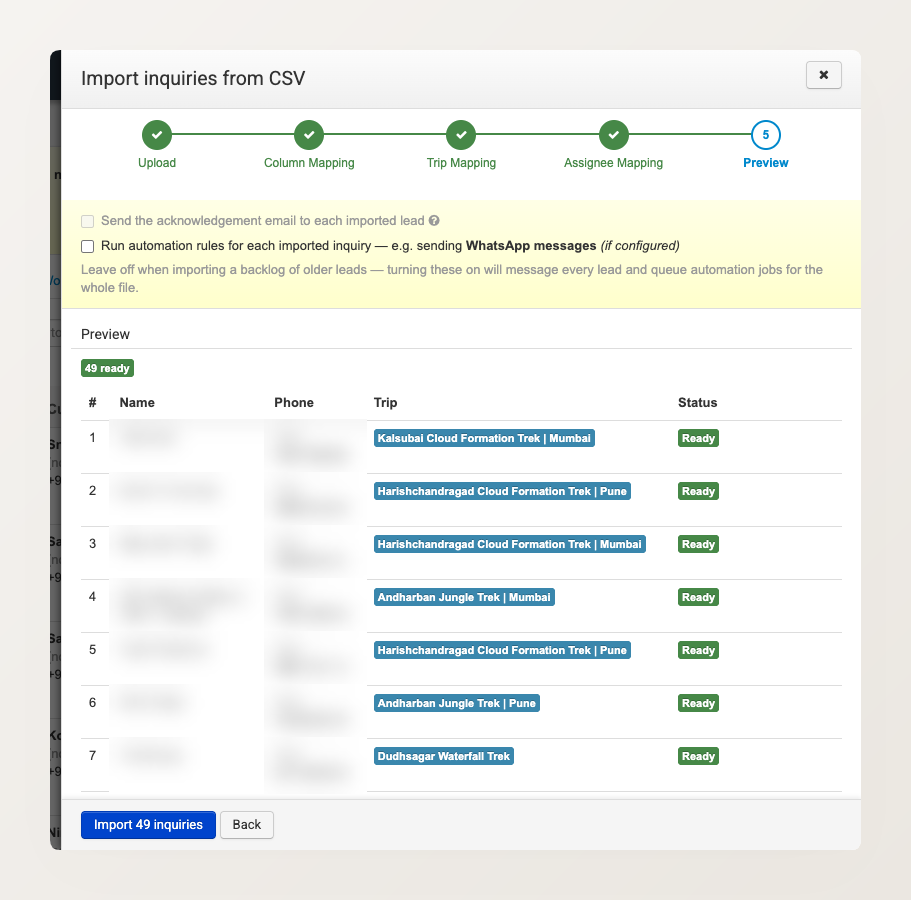
Not every inquiry comes through your website. They also arrive from WhatsApp marketing tools, from Instagram and ad platforms, and from agents who send you spreadsheets. Until now, inquiries from these channels lived outside your account. You can now bring them all into Vacation Labs at once by uploading a CSV file.
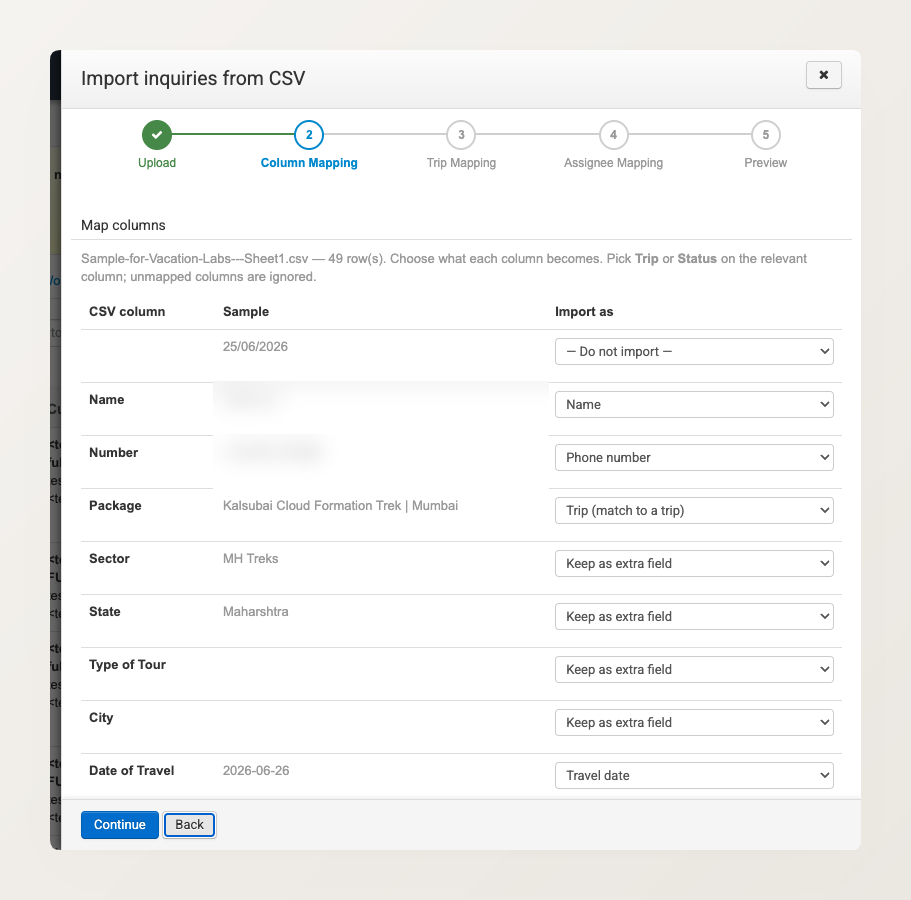
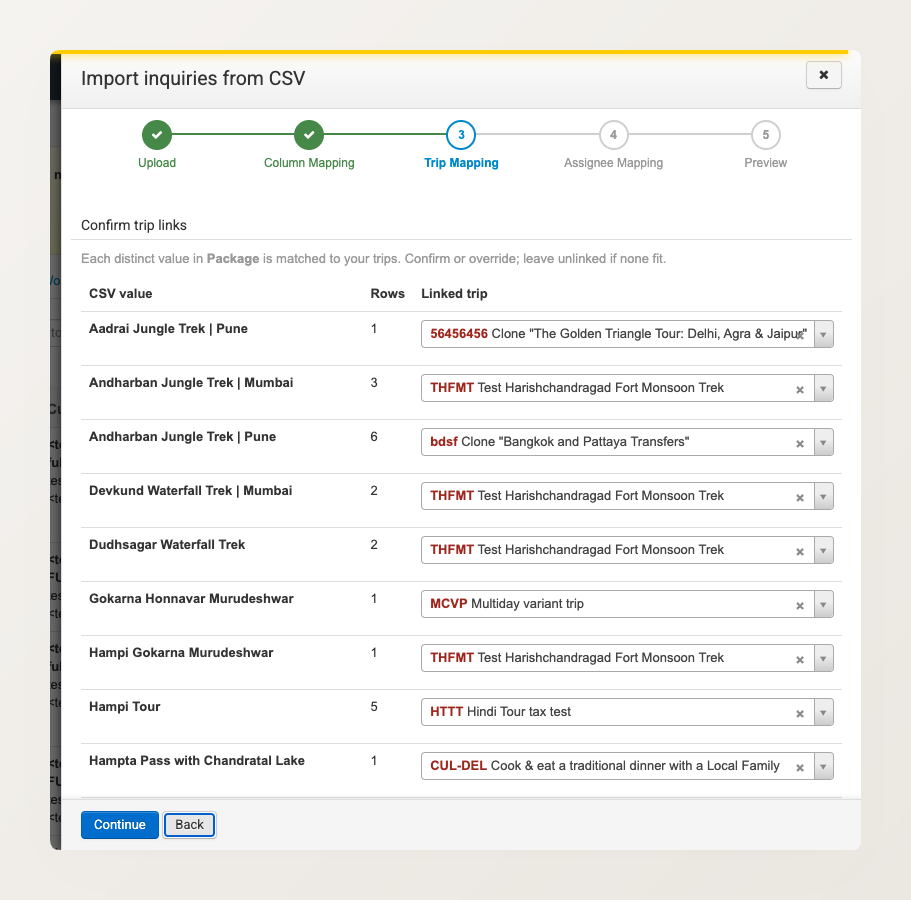
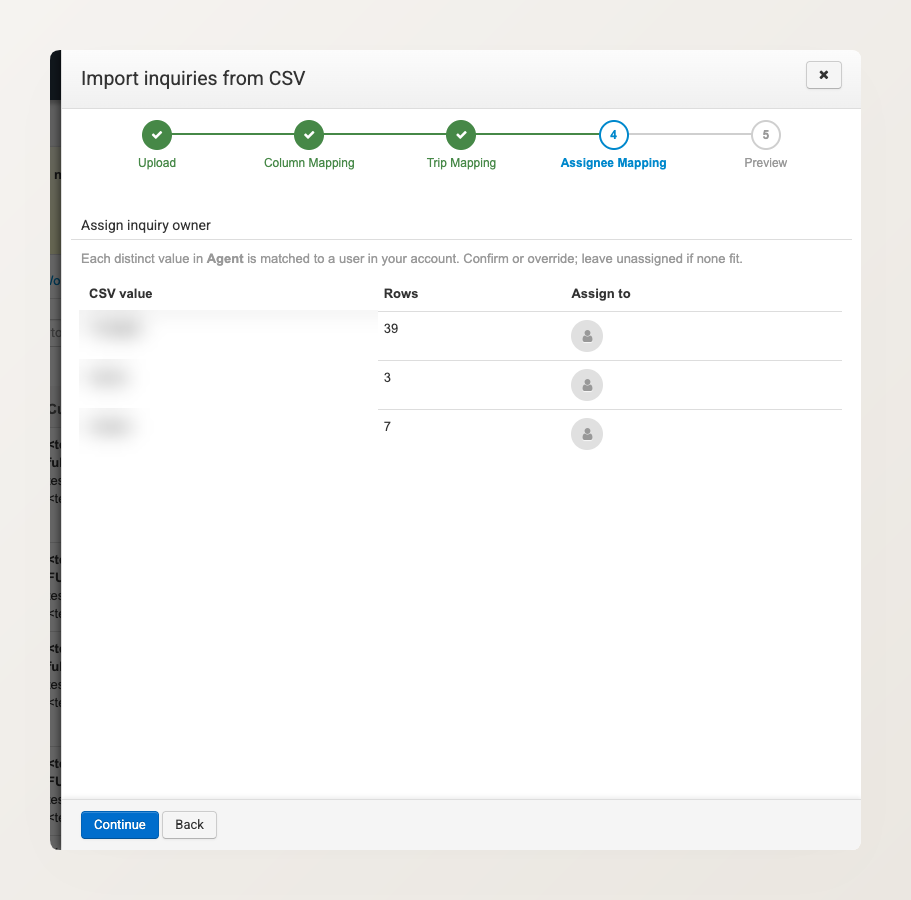
The import runs step by step. First it reads your file and guesses what each column is (name, phone, travel date, trip, and so on), and lets you correct anything it gets wrong. It then matches trip names to your existing trips, and assignee names to your team. Nothing is saved until you see a full preview of everything that will be imported, and you click to confirm.
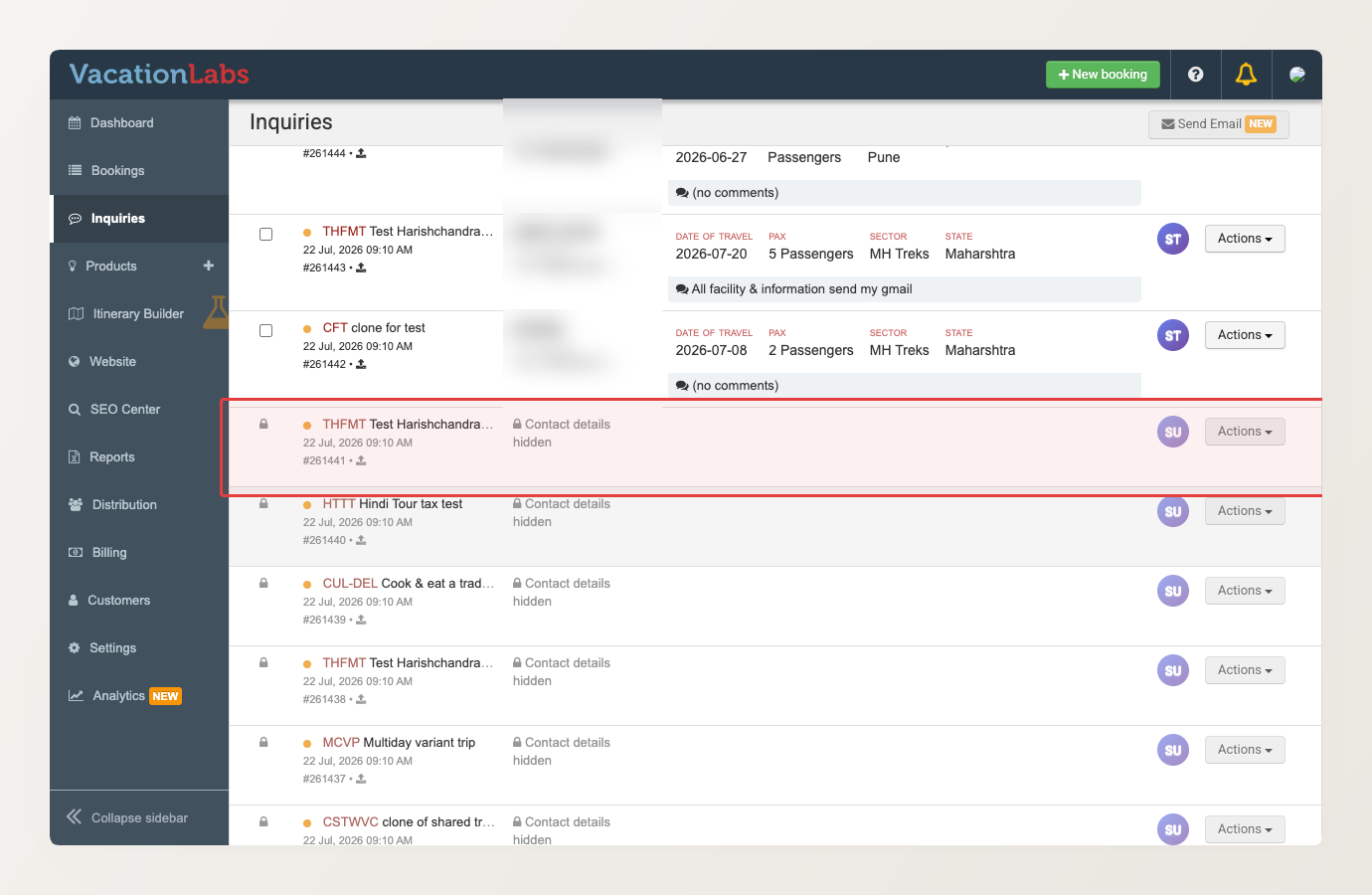
With more people working the same inquiry list, you may not want every salesperson to see every inquiry. You can now limit a Reservation Staff member to only the inquiries assigned to them, plus any that are still unassigned. An inquiry already being worked by a teammate is hidden: the row shows no contact details and cannot be acted on. So no one can poach or interfere with another salesperson’s inquiry.
Reservation Managers and admins keep full visibility, and can assign or reassign freely. A salesperson can claim an unassigned inquiry for themselves, or release one back to the shared pool.