Release Notes • April 16, 2026 • Saurabh Nanda
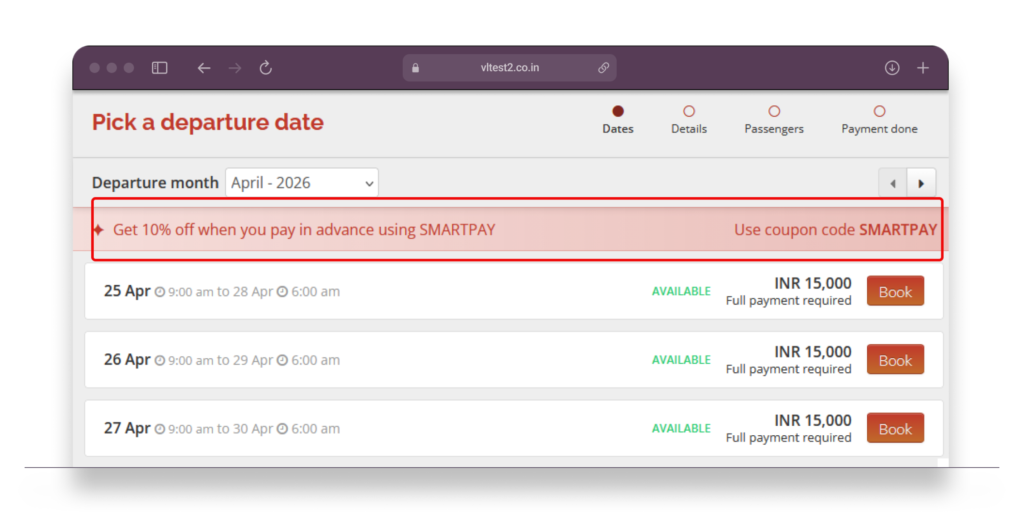
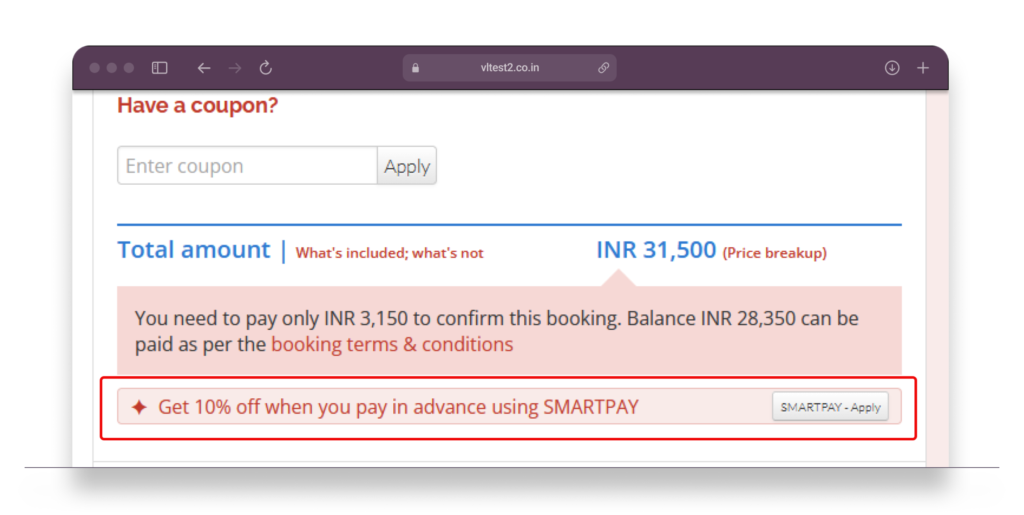
The coupon section on your tour pages has been visually redesigned, and coupons can now be individually configured to also appear inside the booking form itself. Previously, coupon banners were only shown on your tour page and collection pages — once a customer clicked “Book Now,” there was no reminder of available discounts until they already knew to type in a code. Now, eligible coupons can surface at the departure date selection step and the passenger count step (which also shows the booking total), keeping the offer visible while customers are actively choosing.
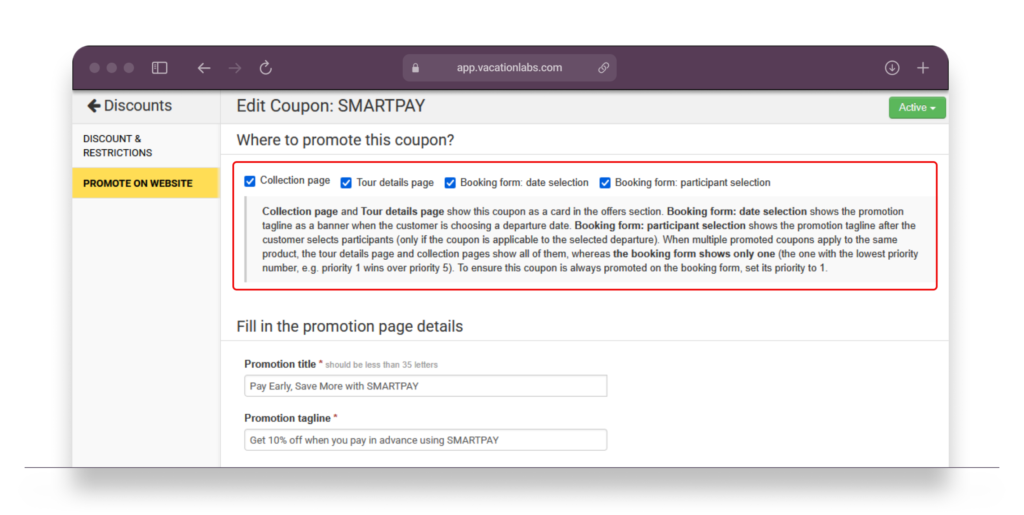
Coupons are private by default — they won’t appear anywhere on the storefront unless you explicitly configure them to be promoted on specific pages or booking steps. This is done per coupon, directly in the backoffice.
Once set up, each coupon can be configured in the backoffice to specify which booking form steps it appears on.
When multiple coupons are eligible for the same booking, a priority order determines which one is promoted — so customers always see the most relevant offer, and operators have full control over what gets highlighted.
