Grant Analytics dashboard access without Super User
Release Notes • July 10, 2026 • Saurabh Nanda
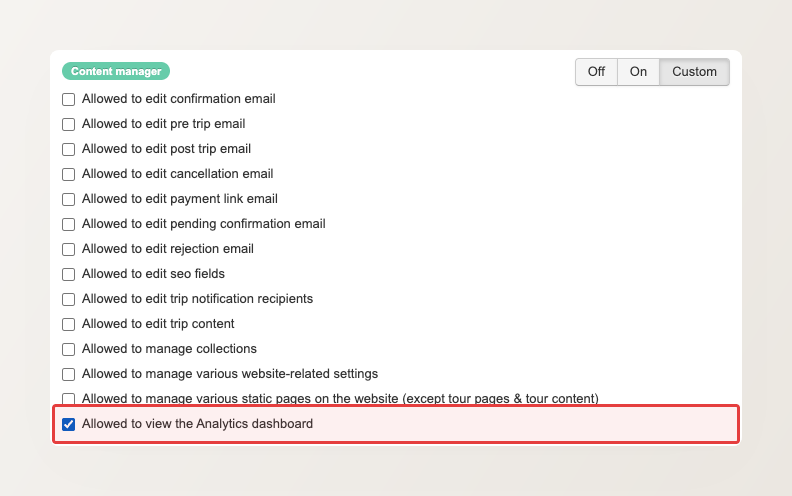
You can now give a team member access to the Analytics dashboard on its own, without making them a Super User. Seeing your website’s traffic and booking trends no longer means handing over full access to the backoffice. You grant the Analytics permission to just the people who need it, and nothing else.
By default, the Analytics permission sits inside the Content Manager role, on the reasoning that whoever manages your website content is usually also the person most likely to watch its traffic and booking trends. If that is not how your team works, you can hand this one permission to anyone. Edit the user under Main menu > Settings > Users & Permissions, set the Content Manager role to Custom (the mode that lets you switch permissions on one at a time), then tick just Allowed to view the Analytics dashboard and leave the rest off. The Analytics link stays visible to everyone on your team, but opens only for the people you have granted it to.
We also restored Inquiry Report access for existing users on the Reservation Staff, Reservation Manager, and Finance Manager roles. A setup error had previously left it switched off for some of them.
